
On this page (34)
- What to Put on the Back Cover of a Book to Turn Browsers Into Buyers
- What Is the Back Cover of a Book?
- The Essential Elements of a Back Cover
- 1. The Tagline or Hook
- 2. The Blurb
- How to write a fiction blurb
- How to write a nonfiction blurb
- Fiction and nonfiction blurb mistakes
- 3. Endorsements and Reviews
- 4. The Author Bio
- 5. The ISBN Barcode and Price
- 6. Optional Extras
- Back Cover Layout and Design Rules
- Visual hierarchy
- Design principles
- Examples of Back Cover Structures
- Fiction example structure
- Nonfiction example structure
- Children's book structure
- Back Cover Checklist Before You Approve
- How the Back Cover Connects to Your Marketing
- Common Back Cover Mistakes
- Let Your Back Cover Do the Selling
- Frequently Asked Questions (FAQ's)
- What goes on the back cover of a book?
- How long should a back cover blurb be?
- Do I need an author bio on the back cover?
- Where does the barcode go on a book?
- Is the barcode the same as the ISBN?
- Do ebooks need a back cover?
- Can I put reviews on the back cover?
- Should the back cover blurb match my Amazon description?
- How do I make my barcode scannable?
- Can I design my own back cover?
What to Put on the Back Cover of a Book to Turn Browsers Into Buyers
Quick answer: The back cover of a book should include a hook or tagline, a blurb of roughly 100 to 200 words, one or two credible endorsements if you have them, a short author bio (optional for fiction, valuable for nonfiction), and for print books the ISBN barcode and price in the lower area. Keep the design clean, give the text room to breathe, and make sure the barcode scans.
Readers often turn a book over within seconds of seeing the front cover. The front cover earns attention, but the back cover earns the purchase. It answers the question every browser silently asks: "Is this book for me?"
If you are wondering what to put on the back cover of a book, this guide breaks it down element by element, with layout rules, writing formulas for fiction and nonfiction, technical specs for barcodes, and common mistakes that cost authors sales.
What Is the Back Cover of a Book?
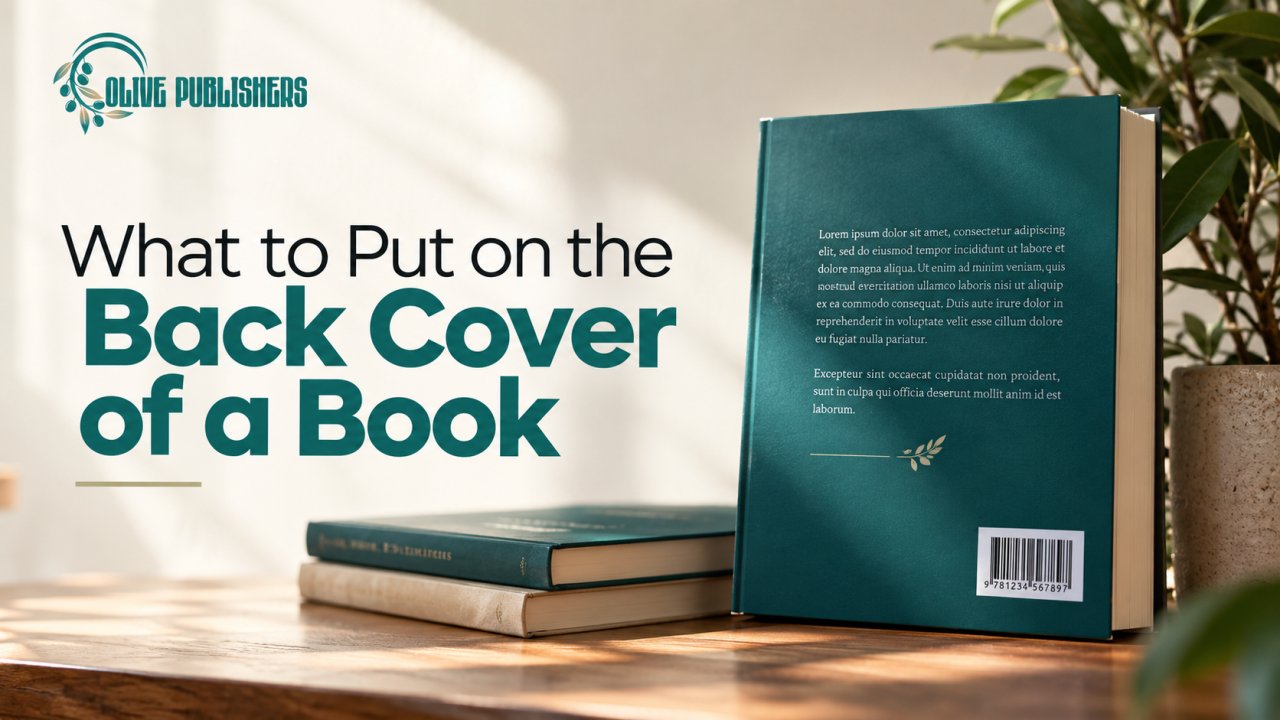
The back cover is the rear panel of a print book, opposite the front cover. It works as a sales page in physical form. For paperbacks, it usually carries the blurb, testimonials, author bio and barcode. On hardcovers, the author bio and extra praise often move to the dust jacket flaps.
Even if you sell mostly ebooks, you still need a back cover for print editions, and the same copy often appears as your online book description.
The Essential Elements of a Back Cover
|
Element |
Purpose |
Required? |
|
Tagline or hook |
Grabs attention in a few words |
Recommended |
|
Blurb (book description) |
Sells the story or promise |
Essential |
|
Endorsements or reviews |
Builds credibility |
Optional but powerful |
|
Author bio |
Builds connection or authority |
Optional for fiction, recommended for nonfiction |
|
Barcode with ISBN |
Allows retailers to scan and sell |
Essential for retail print |
|
Price |
Common on retail books |
Often included |
|
Publisher or imprint logo |
Signals professionalism |
Optional |
|
Website or social handle |
Directs readers to you |
Optional |
|
Genre or category label |
Helps shelving |
Recommended for retail |
1. The Tagline or Hook
A tagline is a short line near the top that creates curiosity. It works best when it is specific and brief.
Good taglines:
• Name the stakes: what could be lost.
• Hint at the transformation: what will change for the reader.
• Pose an intriguing question.
Avoid:
• Clichés such as "a heart-stopping thriller" without detail
• Long sentences that bury the point
• Claims you cannot support
2. The Blurb
The blurb is the heart of your back cover. It is a marketing message, not a synopsis. Most guidance suggests aiming for about 150 to 200 words, with some sources suggesting 100 to 150 for tighter layouts, and a ceiling around 250 words. If your book is very visual or your layout is crowded, shorter is better.
How to write a fiction blurb
Use this simple structure:
1. Hook: introduce the protagonist and their world in one or two lines.
2. Conflict: what disrupts their life?
3. Stakes: what happens if they fail?
4. Teaser: end with a question or a tension-filled line, not the resolution.
Tips for fiction:
• Name only the main characters, usually one to three.
• Match the tone to the genre. A romance blurb should feel warm and emotional, and a thriller blurb should feel tense.
• Do not reveal the ending.
• Use active, vivid verbs.
How to write a nonfiction blurb
Nonfiction readers want to know what the book will do for them.
1. The problem: describe the reader's pain or question.
2. The promise: what will they learn or achieve?
3. The method: what makes your approach different?
4. The proof: who are you, and why should they trust you?
5. Call to action: a closing line that invites them to read.
Tips for nonfiction:
• Use bullet points for key benefits, but only a few.
• Use the word "you" to speak directly to the reader.
• Avoid jargon unless your audience expects it.
Fiction and nonfiction blurb mistakes
• Summarizing the entire plot
• Starting with "This book is about..."
• Too many character names
• Vague statements like "a journey of self-discovery"
• Long paragraphs without breaks
• Typos, which damage credibility instantly
3. Endorsements and Reviews
Short quotes from respected sources add credibility. They can come from:
• Well-known authors in your genre
• Industry reviewers
• Experts in your subject
• Readers, when real names and context make them credible
Guidelines:
• Use only quotes you have permission to use, and never invent endorsements.
• Keep each quote short, one or two lines.
• Include the source's name and relevant credential.
• Place your strongest quote on the front cover if space allows, and use the back for others.
• If you have no endorsements yet, do not fill space with weak ones. A clean blurb is better than padding.
4. The Author Bio
For nonfiction, a bio helps readers decide whether to trust you. For fiction, a short and personable bio can add warmth, though some authors move it inside the book.
Include:
• Your relevant credentials or experience
• Where you live, if it adds personality
• A line about your other books or achievements
• Your website or social handle
Keep it short: two to four sentences is typical. A photo can add connection, but it takes space that could be used for sales copy, so consider whether it fits your layout or belongs inside the book instead.
5. The ISBN Barcode and Price
Print books sold through retailers need a scannable barcode.
• The barcode is usually placed in the lower portion of the back cover, traditionally in the bottom right corner.
• A typical barcode area is roughly 2 inches wide by 1.2 inches tall, though your printer or platform will specify exact requirements.
• It encodes the ISBN and often a price.
• Leave a clear white or light background behind it for reliable scanning.
• Test the barcode with a smartphone scanner app before approving your final cover.
• Check that the ISBN matches the ISBN on your copyright page and retailer listing. A wrong ISBN can cause delivery and listing problems.
If you use Amazon KDP's free ISBN, the platform may place a barcode automatically on a reserved space on your back cover. If you buy your own ISBN, you add the barcode to your cover file. In the US, Bowker sells a single ISBN for $125 and a block of ten for $295, and free barcode generators can produce a standard barcode image if you follow printer specifications.
6. Optional Extras
• Series information: "Book 2 of the River Valley Series."
• Category label: such as "Fantasy" or "Business" at the top or near the barcode.
• Social media handles or a website URL
• A QR code that leads to a free bonus, an email signup or a reader group. Make sure it is large enough to scan and tested.
• Publisher logo or imprint
Back Cover Layout and Design Rules
A great blurb can be wasted by a crowded layout. Good design organizes information so the eye moves naturally.
Visual hierarchy
1. Tagline at the top
2. Blurb in the center, the largest block of text
3. Endorsements above or below the blurb, set apart visually
4. Author bio and photo toward the lower middle
5. Barcode and price at the bottom
Design principles
• Match the front cover. Use the same fonts, colors and style so the book feels cohesive.
• Keep fonts readable. Avoid tiny type or decorative scripts for body text.
• Maintain strong contrast between text and background.
• Use white space. Crowded covers look amateur.
• Respect margins and bleed. Your printer will provide safe zones so text is not trimmed.
• Adjust for spine width. A full cover wraps front, spine and back, and the spine width depends on page count and paper type.
• Use genre cues. Thrillers tend to use bold, high-contrast layouts, romances often use softer tones, and business books favor clean, structured designs.
A professional book cover design service accounts for these technical details and keeps your full cover consistent.
Examples of Back Cover Structures
Fiction example structure
• Tagline: a one-line hook about the central dilemma
• Blurb: three short paragraphs introducing the protagonist, the conflict and the stakes
• Endorsement: one quote from a fellow author
• Bio: two lines
• Barcode: bottom right
Nonfiction example structure
• Endorsement at the top from a recognizable expert
• Headline question or promise
• Blurb: the reader's problem, the book's promise and two or three bullet benefits
• Author bio: credentials and a photo
• Barcode and price: bottom
Children's book structure
• A short, playful teaser of two or three lines
• A simple summary that parents can read in seconds
• Age range such as "Ages 4 to 8"
• Illustration that continues from the front cover
• Barcode
Children's titles often benefit from a coordinated design and illustration approach, so teams that offer children's book support can help keep front, back and interior consistent.
Back Cover Checklist Before You Approve
• [ ] The blurb has been proofread by someone other than you
• [ ] The tagline is specific and short
• [ ] Endorsements have permission and correct attribution
• [ ] The author bio is brief and relevant
• [ ] The barcode is the right size, in the right place and scannable
• [ ] The ISBN on the cover matches your retailer listing
• [ ] Text is not too close to the trim edge
• [ ] Fonts and colors match the front cover
• [ ] The cover has been proofed in print, not only on screen
• [ ] The description on your online sales page matches or complements the back cover copy
Professional proofreading before you approve the final cover files can catch errors that are easy to miss.
How the Back Cover Connects to Your Marketing
The back cover is not only for print readers. The blurb often becomes:
• Your Amazon or retailer description
• Your website book page
• Your press kit summary
• Your social media promotion text
That is why many authors invest time in polishing it. A clear, compelling blurb supports every stage of your book marketing, from ads to author interviews.
Common Back Cover Mistakes
• Too much text. A wall of copy discourages reading.
• A plot summary instead of a hook.
• Weak or fake endorsements. Readers can tell.
• Blocking the barcode area with design elements.
• Using low-resolution images. They print poorly.
• Inconsistent design. The back should look like it belongs to the same book as the front.
• Forgetting the genre. A romance should not look like a business book.
• Placing important text near the edge. It may be trimmed.
Let Your Back Cover Do the Selling
A strong back cover combines a sharp hook, a persuasive blurb, credible proof and clean technical details. When those pieces work together, readers pick up your book and keep reading. If you would like expert help with copywriting, cover design and publishing, Olive Publishers can help you create a full cover that looks professional and sells. Reach out to our team to start planning your book's front, spine and back.
Frequently Asked Questions (FAQ's)
What goes on the back cover of a book?
Typically a tagline, a blurb, endorsements if available, an author bio, and for print books the ISBN barcode and price. The blurb is the most important element.
How long should a back cover blurb be?
Most guidance suggests roughly 100 to 200 words, with an upper limit near 250. Shorter is better if your layout is crowded.
Do I need an author bio on the back cover?
It is optional for fiction and recommended for many nonfiction books, where credibility matters. If space is tight, you can place the bio inside the book instead.
Where does the barcode go on a book?
The barcode normally goes on the lower portion of the back cover, traditionally the bottom right corner, with a clear background so it scans easily.
Is the barcode the same as the ISBN?
They are related but not identical. The ISBN is the unique number for your book edition, and the barcode is a scannable image that encodes that number.
Do ebooks need a back cover?
Ebooks do not need a back cover, but your book description should use similar copy. Print editions require a complete back cover.
Can I put reviews on the back cover?
Yes, if they are real and you have permission to use them. Use short quotes with the source's name and credentials.
Should the back cover blurb match my Amazon description?
It can be similar, but online descriptions can run longer and use formatting. Many authors adapt the back cover blurb for their online page.
How do I make my barcode scannable?
Use the printer's recommended size, keep high contrast between bars and background, and test it with a smartphone scanning app before finalizing.
Can I design my own back cover?
You can, but professional design helps with spacing, spine width, bleed and barcode placement. A mistake in these technical areas can delay printing or lower perceived quality.