On this page (55)
- What Is a Book Layout Template?
- Where to Find Free Book Layout Templates
- 1. Microsoft Word Templates
- 2. Apple Pages Templates
- 3. Amazon Kindle Direct Publishing Resources
- 4. Reedsy Studio and Other Book-Formatting Tools
- 5. Design Applications and Specialized Software
- Choose a Template Based on Your Book Format
- How to Choose the Right Print Template
- Confirm the trim size
- Set margins and gutter correctly
- Review page numbering and chapter openings
- Check bleed and image placement
- Free Book Layout Templates for Novels and Memoirs
- Free Book Layout Templates for Nonfiction and Workbooks
- Free Book Layout Templates for Children's Books and Illustrated Titles
- Free vs. Paid Book Layout Templates
- Check Template Licensing and Commercial Usage Rights
- Formatting Basics That Improve Any Template
- Use styles consistently
- Avoid manual spacing
- Check typography and readability
- Review images and captions
- Inspect the exported file
- How to Test a Template Before Formatting the Entire Book
- Common Mistakes to Avoid When Using Book Layout Templates
- When Should You Hire a Professional Book Formatter?
- How Olive Publishers Can Help with Book Formatting
- Practical Comparison of Book Layout Options
- Conclusion
- Frequently Asked Questions
- 1. What are free book layout templates?
- 2. Where can I download free book layout templates?
- 3. Are free book layout templates suitable for first-time authors?
- 4. Can I use a free template for a book I plan to sell?
- 5. What is the difference between a print book template and an ebook template?
- 6. Can I use the same template for paperback, hardcover, and ebook editions?
- 7. What trim size should I choose for my book?
- 8. Do I need special margins for print books?
- 9. What does bleed mean in book formatting?
- 10. Are free book layout templates good for novels and memoirs?
- 11. What type of template works best for nonfiction books?
- 12. Can I use a free template for a children's picture book?
- 13. Is Microsoft Word enough to format a book professionally?
- 14. Should I choose a free or paid book layout template?
- 15. How can I test a book layout template before using it?
- 16. Why does my book look different after exporting it?
- 17. Can I change a template's fonts, colors, and headings?
- 18. Do free templates include book cover designs?
- 19. Should I format my book before or after editing?
- 20. When should I hire a professional book formatter?
- 21. Does professional formatting guarantee that my book will sell?
- 22. What files should I keep after formatting my book?
- 23. How do I know whether my book is ready to upload?
- 24. Can Olive Publishers help with book formatting?
Free book layout templates can help authors format their manuscripts without designing every page from scratch. Whether you are preparing a novel, memoir, nonfiction guide, workbook, or children's book, the right template provides a starting point for organizing text, headings, margins, chapter openings, and other interior elements.
However, downloading a template is only the first step. A design that looks attractive in a sample document may not work well with your manuscript, publishing platform, or intended book format. Print books require specific page dimensions and margin settings, while ebooks need layouts that adapt to different screens and reader preferences.
The best approach is to choose a template that fits your book, customize it carefully, and test the finished file before publication. This guide explains where to find free book layout templates, how to compare your options, which formatting mistakes to avoid, and when professional assistance may be worthwhile.
What Is a Book Layout Template?
A book layout template is a predesigned document that establishes the basic structure of a book's interior. Instead of manually formatting every page, authors can start with predefined styles and adjust them to suit their manuscript.
Depending on the template, it may include:
-
Chapter titles and section headings
-
Body text styles and paragraph spacing
-
Page margins and page numbering
-
Headers and footers
-
Front matter, such as the title and copyright pages
-
Tables, captions, quotations, or image placeholders
-
Page breaks and chapter-opening layouts
Templates vary in complexity. Some are simple word-processing documents, while others are designed for specialized publishing software or particular book formats.
A template does not replace editing, proofreading, cover design, or final production checks. It provides a framework that must still be adapted to the manuscript and the requirements of the selected publishing platform.
Where to Find Free Book Layout Templates
Authors can explore several types of tools and resources when looking for free templates. Availability, included features, export options, and licensing terms can change, so review the provider's current information before committing to a workflow.
1. Microsoft Word Templates
Microsoft Word is a practical option for authors who already write and edit their manuscripts in Word. Its document styles and page-layout controls can help create consistent chapter headings, paragraphs, page numbers, and section breaks.
Word may be sufficient for straightforward novels, memoirs, and text-heavy nonfiction books. More complex layouts involving numerous images, intricate tables, or extensive footnotes may require additional adjustment.
Before formatting the entire manuscript, create a working copy and test several representative pages. Check whether chapter titles, paragraph spacing, and page breaks remain consistent as the document grows.
2. Apple Pages Templates
Apple Pages provides document-design tools that can help authors create structured interiors. It may be a suitable starting point for writers who prefer working within the Apple ecosystem.
Before selecting a Pages template, consider how you will deliver the final file. Check whether the required export format preserves the layout correctly and whether the resulting document is compatible with your chosen publishing platform.
If a printer requires a specific PDF setup or an ebook retailer requires a particular digital format, test the exported file rather than assuming the original document will transfer perfectly.
3. Amazon Kindle Direct Publishing Resources
Authors publishing through Amazon Kindle Direct Publishing (KDP) should review its current formatting guidance and available resources. The appropriate workflow depends on whether the book is intended for print or digital reading.
Print interiors require fixed page dimensions and suitable margins. Reflowable ebooks need a structure that can adapt to different screen sizes, font settings, and reading devices.
Using a template associated with a publishing platform can provide a useful starting point, but authors should still verify the finished file against the platform's current specifications before uploading it.
4. Reedsy Studio and Other Book-Formatting Tools
Dedicated book-formatting tools can offer a more focused workflow than a general word processor. Depending on the tool and its current features, authors may be able to organize chapters, apply consistent styles, and export files for publication.
Compare the available features, supported formats, account requirements, export restrictions, and terms of use before choosing a tool. A free starting option is useful only if it can produce the files your publishing project needs.
5. Design Applications and Specialized Software
Some authors use design applications or dedicated publishing software when their books include illustrations, diagrams, complex page compositions, or carefully positioned visual elements.
These tools may provide greater layout control, but they can also require more time to learn. For a simple text-led novel, a complicated design workflow may be unnecessary. For a picture book or workbook, greater control over image placement and page composition may be essential.
Choose a Template Based on Your Book Format
One of the most important decisions is whether you are preparing a print book, an ebook, or both. These formats have different technical and design requirements.
| Book format | Important layout requirements | Best suited to |
|---|---|---|
| Paperback or hardcover | Fixed page dimensions, margins, gutter, page numbers, and possible bleed | Books printed on physical pages |
| Reflowable ebook | Flexible text, heading structure, navigation, and adaptable images | Most novels and text-heavy nonfiction ebooks |
| Fixed-layout ebook | Carefully positioned text and images that retain their designed arrangement | Certain illustrated or visually complex digital books |
| Workbook or journal | Consistent sections, writing space, exercises, and functional page layouts | Guided activities and practical learning |
| Illustrated children's book | Image placement, text-art balance, page turns, and possible bleed | Picture books and art-led stories |
Do not assume that a print template can be converted directly into a suitable ebook. A fixed page design may become awkward when readers change font sizes or use smaller screens. Similarly, a reflowable ebook layout may not provide the precise positioning required for a printed workbook.
If you plan to release multiple editions, identify the required formats early and create a workflow that accommodates each one.
How to Choose the Right Print Template
Print formatting requires attention to the physical dimensions and structure of the finished book. A template designed for one trim size may not be suitable for another.
Confirm the trim size
Trim size refers to the final width and height of the printed pages. Choose a supported size before making detailed layout decisions.
Changing the trim size after formatting can affect line breaks, page count, chapter positions, and cover dimensions. For this reason, confirm your preferred size and printing route before investing significant time in the interior layout.
Set margins and gutter correctly
Margins provide space around the text. The gutter is the additional space needed near the binding so the text remains comfortable to read.
The appropriate settings depend on the book's dimensions, page count, binding method, and printer requirements. Avoid copying margin settings from an unrelated template without checking whether they suit your project.
Review page numbering and chapter openings
Check that page numbers appear consistently and that chapter openings follow a deliberate pattern. Some books begin each chapter on a right-hand page, while others use a simpler sequence.
Also review front matter, section breaks, blank pages, running headers, and footers. Small inconsistencies can become noticeable when readers move through a printed book.
Check bleed and image placement
Bleed may be required when images or colored elements extend to the edge of a printed page. Not every interior needs bleed, but illustrated books and visually designed pages may require it.
Follow the selected printer's current specifications for page dimensions, image resolution, margins, and bleed. Do not rely on a generic template to establish production settings for every printing service.
Free Book Layout Templates for Novels and Memoirs
Novels and memoirs generally benefit from a restrained, readable interior. The purpose of the design is to help readers follow the narrative without unnecessary visual distractions.
Look for templates that provide:
-
Comfortable body-text sizing and line spacing
-
Consistent chapter titles and opening pages
-
Clear paragraph indentation or spacing
-
Reliable page numbering
-
Appropriate treatment of scene breaks
-
A clean structure for front matter and acknowledgments
Use paragraph and heading styles instead of inserting repeated spaces or manually adjusting every chapter. Styles make it easier to update the whole manuscript when you need to change a font, spacing rule, or heading design.
Memoirs may also include photographs, letters, quotations, or other personal documents. Test these elements within the template before applying the layout to the complete book.
Free Book Layout Templates for Nonfiction and Workbooks
Nonfiction books often need a more flexible structure than novels. Depending on the subject, the interior may contain several heading levels, tables, diagrams, footnotes, references, callout boxes, or numbered instructions.
Choose a template that can handle these elements without making the pages crowded.
For workbooks, journals, and activity books, consider how readers will use the printed pages. They may need space to write answers, complete exercises, make notes, or follow step-by-step instructions.
Do not shrink text excessively to force a table onto one page. Reorganizing the information, splitting a large table, or adjusting the page layout may produce a better reading experience.
Before formatting the complete manuscript, test a chapter that includes the most complicated elements in the book. This can reveal limitations while changes are still manageable.
Free Book Layout Templates for Children's Books and Illustrated Titles
Illustrated books need a close relationship between words and artwork. The layout should support the story's rhythm, visual storytelling, and page turns.
When evaluating a template for an illustrated book, consider:
-
Whether the text and illustrations remain balanced
-
Whether images appear in the intended sequence
-
Whether important artwork is positioned safely within the page
-
Whether the design accommodates full-page illustrations
-
Whether the layout works with the intended trim size
-
Whether image rights and font licenses permit commercial publication
Picture books may need fixed layouts and printer-specific bleed settings. Other illustrated titles may combine text-heavy pages with occasional full-page artwork.
Choose a template based on the actual manuscript and illustration plan. A template designed for a standard novel is unlikely to meet every requirement of a picture book without substantial modification.
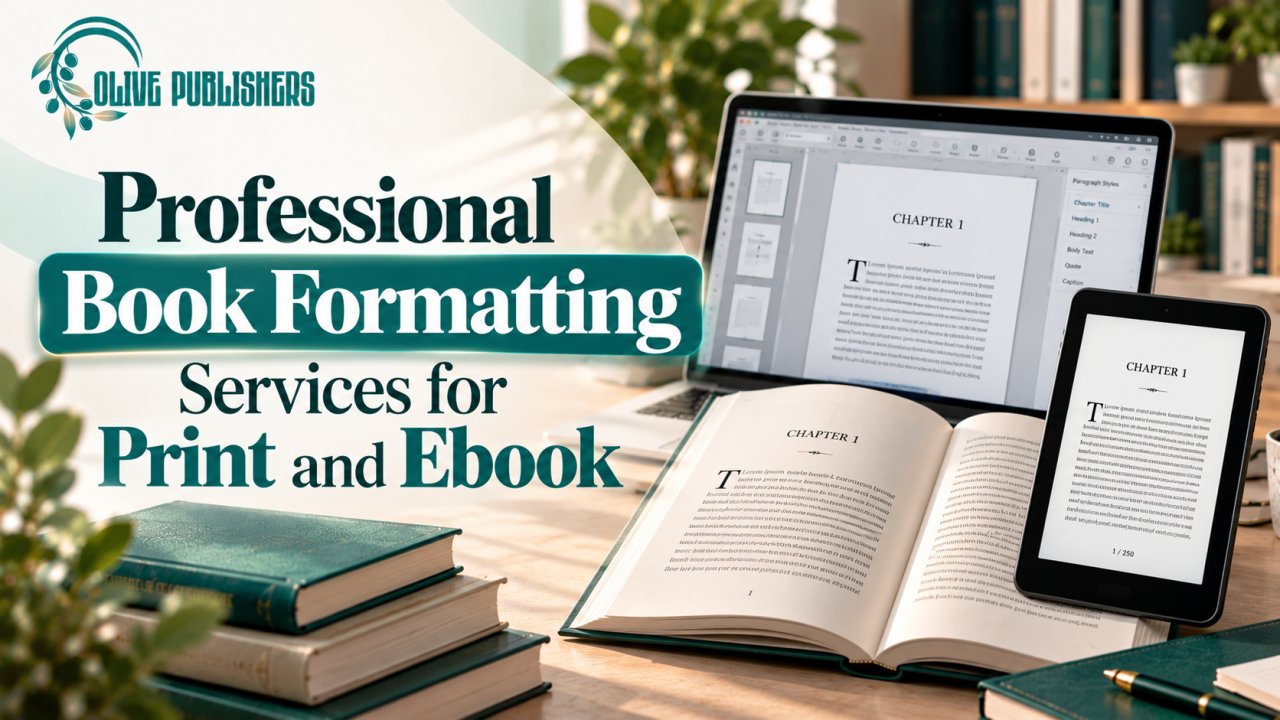
For additional production support, authors can explore professional book formatting services from Olive Publishers.
Free vs. Paid Book Layout Templates
A free template can be a practical choice for authors who have a straightforward manuscript and are comfortable checking the final files themselves. Paid templates may offer additional design options, specialized features, or support, but a higher price does not automatically mean better formatting.
| Factor | Free template | Paid template |
|---|---|---|
| Initial cost | Usually no purchase cost | Requires payment |
| Design options | May offer basic or limited styles | May include more specialized layouts |
| Customization | Depends on the tool and file structure | Depends on the product and license |
| Support | May be limited or self-service | May include assistance, depending on the seller |
| Compatibility | Must be checked for your workflow | Must also be checked for your workflow |
| Final quality | Depends on customization and review | Also depends on customization and review |
The most useful template is one that suits your manuscript, can be edited with your available tools, and exports correctly for your intended publishing route.
Check Template Licensing and Commercial Usage Rights
A template being free to download does not necessarily mean every included element can be used in a commercially sold book.
The template itself may have specific usage conditions. Fonts, stock photographs, icons, illustrations, and decorative assets may also have separate licenses.
Before publishing, check whether you are allowed to:
-
Use the template in a book sold commercially
-
Modify the original design
-
Include its assets in print and digital editions
-
Distribute the finished book through your selected platforms
-
Use any required fonts or images without additional permissions
-
Meet any attribution or redistribution conditions
Keep a record of the license terms and the assets you add. If you cannot establish that an asset is permitted for your intended use, replace it with one you have permission to publish.
Formatting Basics That Improve Any Template
Even a well-designed template needs careful implementation. A consistent formatting process can improve readability and make later revisions easier.
Use styles consistently
Create separate styles for body text, chapter headings, subheadings, quotations, captions, and lists. Consistent styles help maintain the same appearance across the manuscript.
Avoid manual spacing
Repeated spaces, tabs, and blank paragraphs are unreliable ways to position text. Use paragraph settings, page breaks, and section breaks for more predictable results.
Check typography and readability
Choose typefaces and spacing that suit the book's audience and content. Check line length, contrast, paragraph density, and heading hierarchy. Decorative typography should not make the text difficult to read.
Review images and captions
Confirm that images appear in the correct places and that captions remain associated with the right visuals. For print, check image quality and bleed where required. For ebooks, verify that images adapt appropriately to the intended reading experience.
Inspect the exported file
A document may look correct in the editing software but change during export or conversion. Review the actual PDF or ebook file, including its chapter openings, page numbering, links, navigation, and image placement.
How to Test a Template Before Formatting the Entire Book
Testing a template early is one of the most effective ways to avoid unnecessary rework.
Follow this process:
-
Make a working copy. Preserve the original template so you can return to it if needed.
-
Choose a representative chapter. Select a section that contains the most complicated elements in your manuscript.
-
Apply the styles. Format the text using the template's heading, paragraph, caption, and list styles.
-
Add relevant special elements. Include tables, images, quotations, footnotes, or exercises if your book uses them.
-
Export a test file. Create the format required by your intended printer or ebook platform.
-
Review the output. Check page breaks, spacing, blank pages, image quality, chapter starts, and special characters.
-
Make adjustments. Correct the underlying styles or layout settings before formatting the remaining chapters.
-
Repeat the review after major changes. Changes to margins, fonts, trim size, or line spacing can affect the entire document.
A successful sample test does not eliminate the need for a final review. Once the full manuscript has been formatted, inspect the complete exported file because new chapters and longer headings can introduce problems that were not visible in the sample.
Common Mistakes to Avoid When Using Book Layout Templates
Authors can lose time when they select a template based on appearance alone or make major production decisions too late.
Common mistakes include:
-
Choosing the wrong format: A print interior and a reflowable ebook have different needs.
-
Changing trim size late: Page dimensions affect layout, pagination, and cover specifications.
-
Ignoring licensing: Fonts and images may have separate commercial-use restrictions.
-
Relying on manual spacing: Manual adjustments can create inconsistencies throughout a long manuscript.
-
Overdesigning the interior: Decorative elements can distract from the reading experience.
-
Skipping the export review: Errors may appear only in the final file.
-
Using an outdated specification: Printer and retailer requirements may change.
-
Failing to keep source files: Without an editable master, future corrections can become more difficult.
A template should simplify production rather than create repeated manual fixes. If the layout keeps breaking as you add real content, consider changing templates or using a more suitable formatting workflow.
When Should You Hire a Professional Book Formatter?
Formatting your own book can be manageable when the manuscript is simple and you are comfortable using the required software. Professional assistance may be worthwhile when the project includes complex tables, extensive illustrations, technical references, workbooks, multiple editions, or strict production requirements.
A formatter can help establish consistent typography, organize page elements, prepare files for the intended format, and identify layout issues that may be difficult to resolve independently.
Before hiring a service, ask about the scope of work, delivery timeline, supported formats, revision policy, editable source files, and any platform-specific checks included in the package.
Also clarify what is excluded. Interior formatting, cover design, editing, proofreading, and publishing account setup are separate tasks unless the written agreement explicitly includes them.
Authors who need assistance beyond a free template can review Olive Publishers' book editing and formatting services. For broader production support, the book publishing services page provides another starting point.
How Olive Publishers Can Help with Book Formatting
Olive Publishers offers book formatting and related publishing support for authors preparing manuscripts for print and digital publication.
If a free template is not handling your manuscript effectively, you can discuss the book's structure, intended formats, design requirements, and production needs with the team. This can help establish whether you need interior formatting, editing, cover design, or assistance coordinating several stages of production.
Before proceeding, ask for a clear written scope that identifies the deliverables, file formats, timeline, revision terms, and responsibilities for final platform checks. Confirm that the files will meet the requirements of your intended publishing route and clarify which editable source files will be provided.
You can contact Olive Publishers to discuss your project and determine what type of support may be appropriate.
Practical Comparison of Book Layout Options
| Option | Main advantage | Main consideration |
|---|---|---|
| Free word-processing template | Accessible starting point for simple books | May require manual customization |
| Dedicated formatting tool | Provides a workflow focused on book production | Features and export options vary |
| Platform-specific resources | Can help align files with a particular publishing route | May not suit other platforms without adjustments |
| Paid template | May offer additional styles or specialized layouts | Payment does not guarantee correct output |
| Professional formatting service | Can provide tailored layout and production support | Scope, cost, and deliverables must be agreed in advance |
The right choice depends on the complexity of your manuscript, your technical confidence, the formats you need, and the time available for production.
Conclusion
Free book layout templates can help authors create a consistent, readable book interior without designing every page from scratch. However, the best results come from selecting a template that matches the manuscript, confirming the intended print or ebook format, checking commercial-use licenses, and following the current requirements of the selected publishing platform.
Before formatting the entire book, test a representative chapter and inspect the exported file. Keep an editable master, use consistent styles, and review the finished layout after major changes.
If your manuscript includes complex layouts, illustrations, tables, or multiple editions, professional assistance may help simplify production and reduce avoidable formatting problems. The goal is not simply to make a book look attractive, but to prepare a reliable, reader-friendly file that suits its intended format.
Need help preparing your manuscript for publication? Contact Olive Publishers to discuss your book's formatting and production requirements.
Frequently Asked Questions
1. What are free book layout templates?
Free book layout templates are predesigned documents that provide a starting structure for a book's interior. They may include chapter headings, body-text styles, margins, page numbers, paragraph spacing, and other formatting elements. Authors can customize these settings rather than building the layout entirely from scratch.
The exact features depend on the template and the software used to edit it. Authors should still review the finished file to ensure it is readable, correctly formatted, and suitable for the intended publishing platform.
2. Where can I download free book layout templates?
You can explore templates and formatting resources associated with Microsoft Word, Apple Pages, Amazon Kindle Direct Publishing, Reedsy Studio, and other book-production tools.
Before choosing a resource, confirm that it supports your software, intended book format, and export requirements. Also review the provider's current terms and licensing conditions, particularly if you plan to sell the finished book.
3. Are free book layout templates suitable for first-time authors?
Yes. Free templates can be useful for first-time authors working on straightforward novels, memoirs, and text-led nonfiction books. They provide an initial structure and can reduce the amount of manual formatting required.
However, authors still need to learn basic document styles, page breaks, margin settings, and export checks. If the manuscript contains complex illustrations, tables, or multiple formats, a more specialized tool or professional assistance may be helpful.
4. Can I use a free template for a book I plan to sell?
Potentially, yes, but you must check the license. Some templates permit commercial use, while others may restrict how the template or its included assets can be used.
Review the terms for the template, fonts, images, icons, and decorative elements. Do not assume that a free download automatically grants permission to use every component in a commercially published book.
5. What is the difference between a print book template and an ebook template?
A print template uses fixed page dimensions and generally requires defined margins, a gutter, page numbering, and other print-specific settings. The final layout is designed around physical pages.
A reflowable ebook uses a more flexible structure that adapts to different screens and reader-selected font sizes. A fixed-layout ebook retains more precise placement of text and images.
Choose a template based on the actual format you intend to publish rather than assuming one file will work equally well everywhere.
6. Can I use the same template for paperback, hardcover, and ebook editions?
You may be able to reuse some styles and design decisions, but you should not assume that one final file will work for all editions.
Paperback and hardcover interiors may have different production requirements depending on the printer and selected specifications. A reflowable ebook requires a different approach to text flow and navigation.
Plan the editions early, preserve an editable source document, and prepare and review the output for each format separately.
7. What trim size should I choose for my book?
Trim size is the final width and height of the printed book. The right choice depends on your genre, intended reading experience, design, printing options, and publishing goals.
Before formatting, confirm which sizes your selected printer supports. Changing the trim size after completing the interior can affect page breaks, pagination, margins, page count, and cover dimensions.
8. Do I need special margins for print books?
Yes. Print books need margins that keep text comfortably away from the page edges and binding. The gutter may require additional space depending on the book's page count and binding specifications.
Exact requirements vary by printing provider and project. Use the current specifications for your selected service rather than copying settings from an unrelated template.
9. What does bleed mean in book formatting?
Bleed refers to artwork or colored elements extending beyond the final trim edge so that the design can reach the edge of a printed page after trimming.
Not every interior requires bleed. It may be necessary for full-page illustrations, photographs, or designs that extend to the edge. Check the printer's requirements before preparing the final file.
10. Are free book layout templates good for novels and memoirs?
Often, yes. Text-led books usually need a clear chapter structure, consistent typography, comfortable spacing, and reliable page numbering rather than elaborate visual design.
Choose a template that supports the manuscript's chapter openings, scene breaks, quotations, and any photographs or other special content. Always review the full document after applying the template.
11. What type of template works best for nonfiction books?
The best template depends on the subject and content. A nonfiction manuscript may require multiple heading levels, tables, charts, footnotes, references, callout boxes, or illustrations.
Select a template that can accommodate these elements without making the pages crowded. Test the most complex chapter before applying the layout to the entire manuscript.
12. Can I use a free template for a children's picture book?
You can use a suitable template as a starting point, but illustrated children's books often require more careful control over image placement, text-art balance, page turns, and bleed.
The template should match the intended page dimensions and illustration plan. Confirm the rights to every illustration and font, and follow the selected printer's current production requirements.
13. Is Microsoft Word enough to format a book professionally?
Microsoft Word can be sufficient for many straightforward books, particularly when the author understands styles, section breaks, page numbering, and page-layout settings.
More complex books may require additional tools or expertise. The important consideration is whether your chosen workflow can produce a reliable, readable final file in the format your printer or retailer accepts.
14. Should I choose a free or paid book layout template?
Choose based on the features you actually need. A free template may be enough for a simple text-based book, while a paid option may offer additional design choices or specialized layouts.
Compare editability, software compatibility, licensing, export options, and available support. Paying for a template does not guarantee that the finished book will meet publishing specifications.
15. How can I test a book layout template before using it?
Start with a representative chapter rather than the simplest page in the manuscript. Include long headings, lists, tables, illustrations, quotations, or footnotes where relevant.
Apply the template, export a test file, and inspect the result outside the editing software. Check page breaks, image placement, blank pages, heading consistency, and any formatting errors. Fix problems before laying out the entire manuscript.
16. Why does my book look different after exporting it?
Exporting or converting a document can affect fonts, spacing, page breaks, images, links, and other elements. Differences may also arise when the file is opened in another program or viewed on a different device.
Review the actual exported file rather than relying only on the source document's appearance. If the problem persists, check the export settings and the platform's current file requirements.
17. Can I change a template's fonts, colors, and headings?
Usually, you can customize many template elements, subject to the software's capabilities and the template's license. For a text-led book, changes should prioritize readability and consistency.
Use document styles where possible so the same adjustments apply throughout the manuscript. Before using a font commercially, confirm that its license permits your intended use and embedding requirements.
18. Do free templates include book cover designs?
Some resources may include cover-related elements, but an interior layout template does not necessarily include a complete cover design.
Print covers also depend on factors such as trim size, page count, paper type, and the printer's cover specifications. Ebook covers have different requirements. Confirm which deliverables are included before assuming a template covers the entire publishing process.
19. Should I format my book before or after editing?
In most cases, complete substantive editing and proofreading before finalizing the interior layout. Significant text changes can alter page breaks, chapter lengths, page count, and other layout details.
You can use a temporary template to review the manuscript's structure earlier in the process, but the final formatting should be based on a stable, edited manuscript whenever possible.
20. When should I hire a professional book formatter?
Professional formatting may be useful when your book includes complex tables, diagrams, extensive footnotes, illustrations, workbooks, multiple editions, or demanding print specifications.
It can also help if you have repeatedly encountered layout errors or lack the time to learn the necessary software. Before hiring someone, confirm the scope, deliverables, revisions, timeline, and whether editable source files will be included.
21. Does professional formatting guarantee that my book will sell?
No. Professional formatting helps present a book clearly and improves the reading experience, but it cannot guarantee sales.
Commercial performance also depends on the manuscript, audience fit, cover, pricing, discoverability, distribution, reader response, and marketing. Treat formatting as one important part of a broader publishing plan.
22. What files should I keep after formatting my book?
Keep an editable master document, the final exported files, any platform-specific versions, and relevant licensing records for fonts and images.
It is also useful to record the trim size, export settings, and publishing specifications used. If you need to correct the manuscript or prepare another edition later, organized source files can make revisions much easier.
23. How do I know whether my book is ready to upload?
Review the complete exported file against the current requirements of your selected printer or ebook platform. Check the page dimensions, margins, page numbering, chapter openings, image quality, links, navigation, and any required bleed.
For print books, inspect a physical proof when available and appropriate. For ebooks, test the file on different screen sizes or reading applications where possible. Resolve any layout issues before approving the final version.
24. Can Olive Publishers help with book formatting?
Olive Publishers offers book formatting and related publishing support for print and digital projects. Authors can discuss their manuscript, intended formats, and production requirements with the team.
Before starting, ask which services are included, what file types will be delivered, how revisions work, and whether the files will be prepared for your chosen publishing platform.
Visit the Olive Publishers book formatting page or contact the team to discuss your project.