On this page (101)
- Understanding the Difference Between Print and Kindle Formatting
- Print Book Formatting
- Kindle Ebook Formatting
- What About Fixed-Layout Kindle Books?
- Preparing Your Manuscript Before Formatting
- Remove Unnecessary Spacing and Formatting
- Use Consistent Paragraph and Heading Styles
- Complete Editing Before Final Formatting
- How to Format a Book for Print
- Choose the Appropriate Book Trim Size
- Set the Correct Margins
- Understand Gutter Requirements
- Add Bleed When Necessary
- Format Chapter Titles and Page Breaks
- Organize Page Numbers and Running Headers
- Creating a Readable Print Interior
- Select Readable Typography
- Maintain Consistent Paragraph Formatting
- Review Widow and Orphan Lines
- Balance Text and White Space
- Preparing Images, Illustrations, and Tables for Print
- Check Image Resolution
- Position Captions Correctly
- Review Tables for Readability
- Formatting Front Matter and Back Matter
- Common Front Matter Elements
- Common Back Matter Elements
- Check Blank Pages and Section Order
- How to Format a Book for Kindle
- Use Semantic Heading Styles
- Create a Linked Table of Contents
- Keep Paragraph Formatting Flexible
- Check Special Characters and Italics
- Make Hyperlinks Functional
- Format Lists, Footnotes, and Scene Breaks
- Understanding Reflowable and Fixed-Layout Kindle Books
- Reflowable Kindle Format
- Fixed-Layout Kindle Format
- Creating Separate Cover Files for Print and Kindle
- Print Book Cover
- Kindle Ebook Cover
- Keep the Two Cover Designs Consistent
- Choosing Book Formatting Tools and Software
- Kindle Create
- Word Processing Software
- Professional Book Formatting Software
- When Should You Consider Professional Formatting?
- Previewing and Testing Your Print and Kindle Editions
- Review the Print Preview
- Review the Kindle Preview
- Correct Problems in the Original Source File
- Metadata and Upload Requirements for Print and Kindle
- Book Information
- Discoverability Information
- Edition and File Details
- Common Print and Kindle Formatting Mistakes to Avoid
- Using Print Page Numbers in the Kindle Table of Contents
- Using Multiple Spaces for Alignment
- Forgetting the Gutter in Print Layout
- Ignoring Bleed Requirements
- Reusing the Wrong Cover File
- Making Changes After Formatting Without Rechecking
- Skipping Device and Physical Proofing
- How Olive Publishers Can Help with Book Formatting
- Print and Kindle Formatting Comparison
- Final Checklist Before Publishing Your Book
- Print Edition Checklist
- Kindle Edition Checklist
- Final File Management Checklist
- Conclusion
- Frequently Asked Questions About Formatting a Book for Print and Kindle
- 1. Can I use the same manuscript to create both a print book and a Kindle ebook?
- 2. What is the main difference between print formatting and Kindle formatting?
- 3. What is the best trim size for a printed book?
- 4. Do Kindle ebooks need page numbers?
- 5. What is a gutter in book formatting?
- 6. What does bleed mean in print book formatting?
- 7. How should I format chapter headings for Kindle?
- 8. Do I need separate cover files for print and Kindle?
- 9. Can I format my book using Microsoft Word?
- 10. What is the purpose of a linked table of contents in a Kindle ebook?
- 11. What is the difference between a reflowable and fixed-layout ebook?
- 12. How should I prepare images for a printed book?
- 13. Why do images sometimes move or appear differently in Kindle ebooks?
- 14. How should I format tables for print and Kindle?
- 15. Should editing be completed before book formatting begins?
- 16. What causes formatting problems after converting a manuscript into an ebook?
- 17. How can I check whether my print book is ready for publication?
- 18. How can I test a Kindle ebook before publishing?
- 19. What is the difference between a print-ready PDF and a Kindle ebook file?
- 20. Can I use Kindle Create to format my book?
- 21. Do I need professional help to format my book?
- 22. What metadata should I check before uploading my book?
- 23. Can I update my print and Kindle files after publication?
- 24. What should I do if my publishing platform rejects my formatting file?
- 25. How do I keep the print and Kindle editions consistent?
- 26. Why is it important to keep separate formatting checklists?
- 27. How should I name and organize my final publishing files?
- 28. Does proper formatting guarantee that my book will sell?
- 29. Can Olive Publishers help format both print and Kindle editions?
- 30. What is the best workflow for formatting a book for print and Kindle?
Preparing a book for publication involves more than completing the manuscript and designing an attractive cover. Authors must also ensure that their content is correctly formatted for the platforms and reading experiences they intend to support.
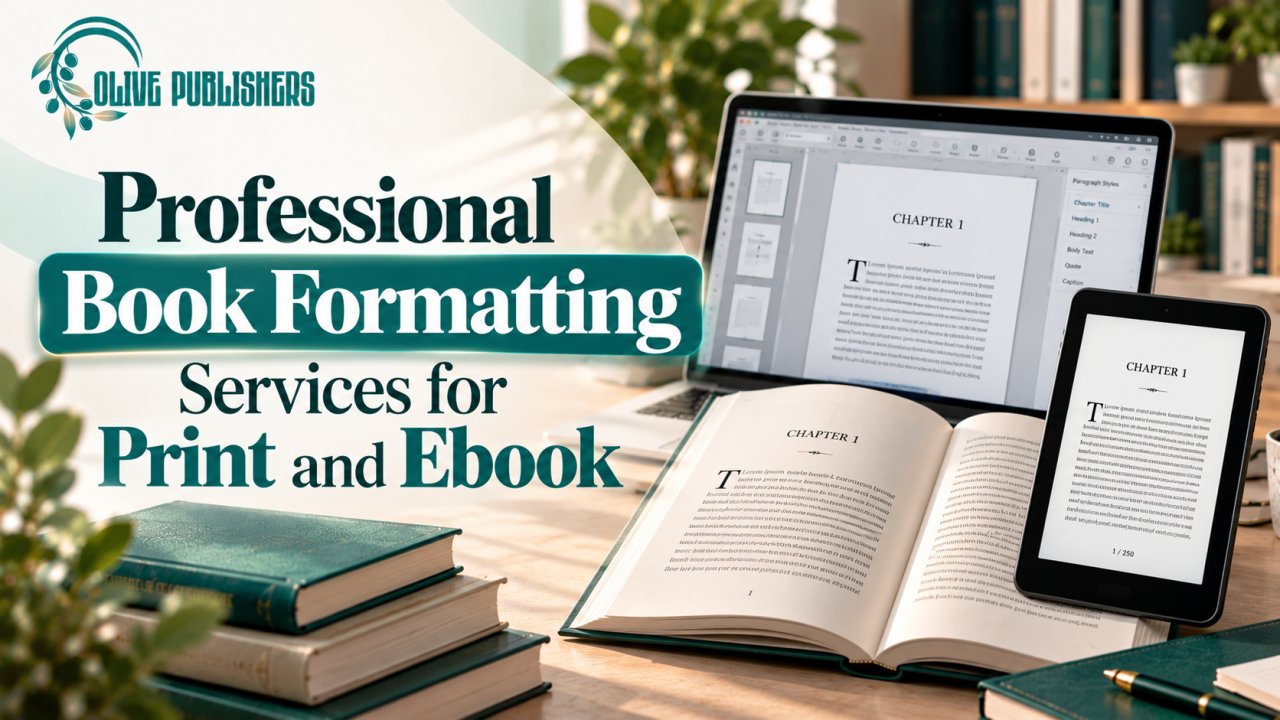
Print books and Kindle ebooks have different formatting requirements. A printed book uses fixed page dimensions, carefully arranged margins, page numbers, and a print-ready interior file. A Kindle ebook, particularly a reflowable ebook, adjusts its layout according to the reader's device, screen size, and text preferences.
This means that one manuscript may serve as the foundation for both editions, but the final files should be prepared and reviewed separately.
Understanding these differences before formatting begins can help authors avoid layout problems, improve readability, and prepare their books for a smoother publishing process.
In this guide, you will learn how to organize your manuscript, format a print interior, prepare a Kindle ebook, create separate cover files, use formatting tools, and review both editions before publication.
Understanding the Difference Between Print and Kindle Formatting
The first step is understanding that print and digital books are not designed in exactly the same way.
Although both editions contain the same manuscript, their layouts serve different purposes.
Print Book Formatting
A printed book has a fixed physical structure. Every page has specific dimensions, and the text and images appear in predetermined positions.
Print formatting involves:
-
Selecting the final trim size
-
Setting inside and outside margins
-
Adjusting gutter space
-
Managing page numbers
-
Formatting chapter openings
-
Positioning images and tables
-
Adding bleed where required
-
Preparing the print-ready interior file
The objective is to create a consistent layout that looks correct when physically printed.
Kindle Ebook Formatting
A reflowable Kindle ebook is designed to adapt to different reading environments. Readers can often change the font size, font appearance, and other display settings.
Its formatting focuses more on content structure and navigation than fixed page positioning.
Important elements include:
-
Proper heading hierarchy
-
Consistent paragraph formatting
-
Functional table of contents
-
Working hyperlinks
-
Readable lists and quotations
-
Correct image placement
-
Compatible special characters
-
Flexible text presentation
A layout that looks attractive in a printed book may not work well on a small ebook screen. Kindle formatting should prioritize readability and adaptability.
What About Fixed-Layout Kindle Books?
Some publications need a more controlled visual arrangement. Examples may include illustrated books, comics, or publications where the relationship between text and images is essential.
Fixed-layout ebooks are different from reflowable ebooks because they preserve more of the original page arrangement.
However, this format is not appropriate for every book. Authors should review the intended platform's current support and consider whether fixed positioning genuinely benefits the reading experience.
Preparing Your Manuscript Before Formatting
A clean manuscript is the foundation of a successful print and ebook formatting workflow.
Starting with a disorganized document can create problems that become more difficult to resolve after the layout has been completed.
Before opening a formatting tool, review the original manuscript and remove unnecessary formatting.
Remove Unnecessary Spacing and Formatting
Check the document for:
-
Repeated blank paragraphs
-
Accidental spaces between words
-
Multiple spaces used for alignment
-
Unnecessary manual line breaks
-
Inconsistent paragraph indentation
-
Unintended page breaks
-
Random font changes
-
Inconsistent heading styles
These formatting issues can produce unexpected results when the document is converted into a print PDF or ebook file.
Use Consistent Paragraph and Heading Styles
Apply appropriate styles to the different content elements.
For example:
-
Main chapter titles
-
Section headings
-
Subheadings
-
Body paragraphs
-
Block quotations
-
Captions
-
Lists
Using styles instead of manually changing every heading makes the document easier to edit and helps preserve its structure during conversion.
Complete Editing Before Final Formatting
Whenever possible, finish manuscript editing before beginning the final layout process.
Late changes can affect pagination, chapter placement, image positions, and the dimensions required for a print cover.
Keep an editable master manuscript so that corrections can be made consistently before creating the separate production files.
How to Format a Book for Print
Print formatting requires careful control over the physical dimensions and layout of every page.
The correct settings depend on the book's content, selected trim size, page count, and printing provider.
Choose the Appropriate Book Trim Size
Trim size refers to the final width and height of the printed pages after the book has been cut to its finished dimensions.
Some commonly used book sizes include:
-
5 × 8 inches
-
5.5 × 8.5 inches
-
6 × 9 inches
These are examples rather than universal requirements. Available sizes vary by printer and publishing platform.
When selecting a trim size, consider the following factors.
Genre and Book Type
Different publications have different layout needs. A text-focused novel may work well with a conventional trade size, while an illustrated guide may benefit from a larger page area.
Reader Experience
Think about how readers will use the book. A compact format may be convenient for general reading, while a larger format may provide more room for diagrams, tables, and illustrations.
Page Count
Changing the trim size can affect how much content fits on each page. This may change the total page count and influence the final production specifications.
Printer Compatibility
Before setting the document dimensions, confirm that your selected printing provider supports the intended size.
Do not complete the entire layout using assumed dimensions and then try to adapt it to a different printer's requirements.
Set the Correct Margins
Margins create space between the printed content and the edges of each page.
They help keep text readable and prevent important information from appearing too close to the cut edges.
A print interior generally requires careful consideration of:
-
Inside margin
-
Outside margin
-
Top margin
-
Bottom margin
The exact measurements depend on the trim size, page count, binding method, and printer specifications.
Understand Gutter Requirements
The gutter is the inner margin near the binding.
In a printed book, part of the page may move toward the center when the reader opens it. If the text is positioned too close to this area, reading can become uncomfortable.
A longer book may require more gutter space than a shorter publication.
Always follow the selected printer's current requirements rather than relying on a single generic margin setting.
Add Bleed When Necessary
Bleed is required when an image, background color, or other design element extends beyond the final page's trim edge.
The additional artwork allows the design to reach the edge after printing and cutting.
Not every interior page requires bleed. Text-only pages with white backgrounds may not need it.
If your book contains full-page photographs, colored backgrounds, or illustrations extending to the edges, confirm the printer's bleed requirements before exporting the final PDF.
Format Chapter Titles and Page Breaks
Chapter openings should follow a consistent layout throughout the book.
Use paragraph styles for chapter headings instead of manually adjusting every title.
When a new chapter should begin on a fresh page, use the appropriate page break or section break rather than pressing Enter repeatedly.
Section breaks may also be useful when page numbering, headers, or footers need to change.
Organize Page Numbers and Running Headers
Page numbers help readers navigate a printed book.
Depending on the book's structure, authors may use different numbering arrangements for the front matter and main content.
Running headers may include the book title, chapter title, or author name, depending on the design.
Check that headers and page numbers are consistent and do not appear where they are not needed, such as on certain title or chapter-opening pages.
Creating a Readable Print Interior
A technically correct PDF is not necessarily a comfortable book to read.
The interior design should make the content easy to follow while maintaining a consistent appearance.
Select Readable Typography
Choose fonts that remain clear at the final printed size.
Consider the relationship between:
-
Body text
-
Chapter headings
-
Section headings
-
Captions
-
Footnotes
-
Page numbers
Avoid using too many font styles within the same publication. A limited and consistent typographic system generally makes the interior easier to navigate.
Maintain Consistent Paragraph Formatting
Paragraph spacing, indentation, and line spacing should follow a consistent pattern.
Avoid combining several alignment methods or using excessive blank lines to create visual separation.
The formatting should support the reading flow rather than draw unnecessary attention to itself.
Review Widow and Orphan Lines
Widow and orphan lines can make a page look unbalanced.
These terms generally refer to lines of text that are separated awkwardly from the rest of their paragraph, particularly around page breaks.
Where the layout software allows, review these issues and adjust spacing or page breaks without making the text unnecessarily compressed.
Balance Text and White Space
White space helps separate content and makes pages easier to read.
Do not reduce font size excessively or compress paragraph spacing simply to reach a particular page count.
If the layout becomes crowded, reconsider the page design or content arrangement instead.
Preparing Images, Illustrations, and Tables for Print
Visual elements require special attention because they may appear different in a printed book than they do on a computer screen.
Check Image Resolution
Images should remain clear at their final printed dimensions and follow the printer's image-resolution guidance.
An image that appears sharp when viewed at a small size may lose detail when enlarged.
Review photographs, diagrams, illustrations, and other visual assets at their intended print size.
Position Captions Correctly
Captions should remain close to the images or figures they describe.
Check that the text is readable, consistently styled, and not separated from the relevant visual element by an unexpected page break.
Review Tables for Readability
Wide tables can create layout difficulties in standard portrait pages.
Depending on the content, you may need to:
-
Simplify the table structure
-
Adjust column widths
-
Use a landscape page where supported
-
Divide a large table into smaller sections
-
Present some information as a list
The goal is to preserve the information without making it difficult to read.
Formatting Front Matter and Back Matter
A professionally formatted book includes more than the main chapters.
Front matter and back matter provide important supporting information and help organize the publication.
Common Front Matter Elements
Front matter appears before the main body of the book.
Depending on the publication, it may include:
-
Half-title page
-
Full title page
-
Copyright page
-
Dedication
-
Table of contents
-
Preface
-
Introduction
Not every book needs every section. Choose the elements that suit the publication and its publishing requirements.
Common Back Matter Elements
Back matter appears after the main content.
It may include:
-
Acknowledgments
-
Notes
-
References
-
Bibliography
-
Glossary
-
Author biography
-
Additional resources
-
A call to action
Review the order of these sections and make sure the page transitions are intentional.
Check Blank Pages and Section Order
Some books require blank pages for layout or printing purposes. However, accidental blank pages can make a publication look unfinished.
Review the complete document to confirm that the title page, copyright page, chapters, and supporting sections appear in the intended order.
How to Format a Book for Kindle
Kindle formatting requires a different approach because reflowable ebooks adapt to the reader's device and display settings.
The most important principle is to create a structured, flexible document rather than trying to reproduce every printed page exactly.
Use Semantic Heading Styles
Apply proper heading styles to chapters and sections.
A clear hierarchy helps readers navigate the ebook and supports the creation of a linked table of contents where the publishing workflow supports it.
For example:
-
Heading 1 for chapter titles
-
Heading 2 for major sections
-
Heading 3 for subsections
Use the appropriate heading level for each section instead of simply making text larger or bold.
Create a Linked Table of Contents
A linked table of contents allows readers to move between chapters and sections without scrolling through the entire ebook.
Check that:
-
Every intended chapter appears
-
The chapter names are correct
-
Links lead to the appropriate locations
-
The navigation order matches the manuscript
A well-organized table of contents improves the overall usability of a digital book.
Keep Paragraph Formatting Flexible
Avoid using repeated spaces, tabs, or manual line breaks to position content.
These methods may create unexpected results when the reader changes font size or views the book on another screen.
Use simple paragraph formatting and appropriate styles wherever possible.
Check Special Characters and Italics
Special characters, italicized passages, symbols, and multilingual text should be reviewed after conversion.
Some characters may not display as intended if the chosen workflow or file does not support them correctly.
Check the converted ebook rather than assuming that everything will appear exactly as it did in the original document.
Make Hyperlinks Functional
If the ebook includes website links, references, or internal navigation links, test them before publication.
A link that looks correct in the manuscript may not work properly after conversion.
Review each important link in the final ebook preview.
Format Lists, Footnotes, and Scene Breaks
Lists should retain their structure and indentation.
Footnotes and scene breaks should also remain clear and understandable across different reading devices.
Avoid relying on visual spacing alone to communicate a change in scene or section.
Understanding Reflowable and Fixed-Layout Kindle Books
Choosing the correct ebook layout is important because different types of books need different presentation methods.
Reflowable Kindle Format
Reflowable ebooks allow text to adjust to the reader's settings.
They are generally suitable for text-led publications such as:
-
Novels
-
Memoirs
-
Biographies
-
Business books
-
General nonfiction
-
Many educational texts
This format allows readers to customize their reading experience.
Fixed-Layout Kindle Format
Fixed-layout ebooks preserve a more controlled page arrangement.
They may be appropriate for publications where the placement of text and illustrations is essential to understanding the content.
However, fixed layouts may provide less flexibility for readers who want to adjust text appearance.
Authors should select this format only when the content genuinely requires it and the intended platform supports the workflow.
Creating Separate Cover Files for Print and Kindle
One of the most common formatting misunderstandings is assuming that the same cover file can be used for both editions without changes.
Print and Kindle covers generally have different production requirements.
Print Book Cover
A print cover may combine several sections into one complete file:
-
Back cover
-
Spine
-
Front cover
-
Required bleed and wrapping areas
The final dimensions depend on the trim size, page count, paper specifications, and binding method.
A print cover should be prepared using the selected printer's current template.
Kindle Ebook Cover
A Kindle ebook generally uses a separate cover image.
It does not require the same wraparound structure as a printed cover because there is no physical spine or back cover in the same sense.
The image must follow the current platform's requirements for dimensions, file type, and quality.
Keep the Two Cover Designs Consistent
Although the technical files are different, the visual identity should remain recognizable across editions.
Keep the title, author name, and key design elements consistent unless there is a deliberate reason to create a different edition design.
Always export and inspect each cover separately.
Choosing Book Formatting Tools and Software
Authors have access to different tools for preparing print interiors and Kindle ebooks.
The right choice depends on the manuscript's complexity, the author's experience, and the required output files.
Kindle Create
Amazon KDP provides guidance and tools such as Kindle Create for supported publishing workflows.
Authors can explore whether the tool is suitable for their manuscript and intended ebook or print project.
Before using it, review the current official documentation for supported inputs, outputs, and limitations.
Word Processing Software
Word-processing applications can be useful for preparing and organizing a manuscript.
They are particularly helpful for applying paragraph styles, heading structures, and consistent formatting before the final production stage.
However, a manuscript file should still be checked against the requirements of the selected printer or ebook platform.
Professional Book Formatting Software
Specialized formatting applications may provide additional control over typography, page layout, and export settings.
They can be useful for projects involving complex layouts, multiple editions, illustrations, or extensive formatting requirements.
Compare the available features with your actual project needs before selecting a tool.
When Should You Consider Professional Formatting?
Professional support may be useful when:
-
The manuscript contains complex layouts
-
The book includes numerous illustrations or tables
-
You need both print and Kindle editions
-
You are unfamiliar with print production requirements
-
You are experiencing repeated conversion problems
-
You want consistent formatting across multiple editions
Before hiring a formatting service, confirm which files will be delivered, how revisions are handled, and whether the service includes support for platform-related corrections.
Previewing and Testing Your Print and Kindle Editions
Previewing should be treated as an essential quality-control stage rather than a final optional step.
A file can upload successfully and still contain layout or navigation problems.
Review the Print Preview
Inspect the print interior page by page.
Look for:
-
Incorrect margins
-
Insufficient gutter space
-
Missing or misplaced images
-
Unexpected blank pages
-
Incorrect page numbering
-
Inconsistent chapter openings
-
Text positioned too close to the page edge
-
Image or table alignment issues
When possible, order a physical proof to evaluate the actual printed result.
Review the Kindle Preview
Use the available ebook preview tools to examine how the content behaves across different screen sizes and display settings.
Check:
-
Chapter navigation
-
Table of contents links
-
Paragraph spacing
-
Font-size flexibility
-
Image placement
-
Special characters
-
Hyperlinks
-
Lists and quotations
-
Scene breaks
The ebook should remain readable when the reader changes text settings.
Correct Problems in the Original Source File
If a preview tool identifies an issue, return to the source document and correct the underlying problem.
Avoid making isolated changes directly to an exported PDF if those changes cannot be reproduced in the original layout file.
A clean source file makes future corrections and updated editions easier to manage.
Metadata and Upload Requirements for Print and Kindle
Formatting is only one part of the publishing process. The information associated with each edition must also be accurate.
Before uploading, review:
Book Information
-
Main title
-
Subtitle
-
Author name
-
Series information, where applicable
-
Book description
-
Language
-
Publication information
Discoverability Information
-
Relevant keywords
-
Appropriate categories
-
Accurate book description
-
Consistent author information
Edition and File Details
-
Correct print interior
-
Correct Kindle ebook file
-
Appropriate cover for each format
-
ISBN information where required
-
Platform-specific file requirements
Requirements can change over time, so check the selected platform's current documentation before uploading.
A successful upload should not be treated as proof that every page or navigation element is correct. Always review the final preview and live listing.
Common Print and Kindle Formatting Mistakes to Avoid
Many formatting problems happen because authors treat print and digital editions as if they were identical.
The following mistakes are worth checking before publication.
Using Print Page Numbers in the Kindle Table of Contents
A reflowable ebook does not maintain fixed page numbers in the same way as a printed book.
Use appropriate navigation links and heading structure rather than relying on print page references.
Using Multiple Spaces for Alignment
Repeated spaces and tabs may shift when an ebook is displayed on a different screen.
Use proper paragraph formatting and supported layout features.
Forgetting the Gutter in Print Layout
Insufficient gutter space can make text near the binding difficult to read.
Check the requirements for the selected binding method and page count.
Ignoring Bleed Requirements
Full-page images and backgrounds may require additional artwork beyond the trim edge.
Confirm the printer's bleed specifications before exporting the interior.
Reusing the Wrong Cover File
A print cover and Kindle cover are different production assets.
Prepare the correct file for each format and check the relevant platform specifications.
Making Changes After Formatting Without Rechecking
Even a small manuscript revision can change page breaks, image positions, or cover dimensions.
Review the affected files again after making changes.
Skipping Device and Physical Proofing
A digital ebook preview and a print proof reveal different types of problems.
Review both editions separately before publication.
How Olive Publishers Can Help with Book Formatting
Preparing print and Kindle editions involves multiple stages, including manuscript organization, editing, interior formatting, cover preparation, and publishing checks.
Olive Publishers provides book formatting, editing, cover design, publishing, and marketing support.
Authors who need assistance with both print and Kindle editions can discuss their manuscript, intended publishing platforms, and existing production files with the team.
Before beginning, clarify the expected deliverables. These may include print-ready PDFs, ebook files, separate cover assets, and revisions required after platform review, depending on the agreed service.
A clear discussion about the project scope, timeline, file ownership, and revision process helps establish expectations before production begins.
Visit Olive Publishers to explore publishing support and discuss your book's requirements.
Print and Kindle Formatting Comparison
| Formatting Area | Print Edition | Kindle Edition |
|---|---|---|
| Page structure | Fixed dimensions | Usually reflowable |
| Page numbers | Included where appropriate | Not fixed like print |
| Margins | Must meet print requirements | Adapt to screen presentation |
| Gutter | Required for binding considerations | Not applicable in the same way |
| Bleed | Required for certain edge-to-edge designs | Not a standard print requirement |
| Images | Prepared for final printed dimensions | Tested across screen sizes |
| Navigation | Page numbers and contents | Linked navigation and headings |
| Cover | Front, spine, and back where applicable | Separate ebook cover image |
| Final review | Print preview and physical proof | Ebook preview and device testing |
Final Checklist Before Publishing Your Book
Use these separate checklists to confirm that both editions are ready.
Print Edition Checklist
-
Final manuscript approved
-
Trim size confirmed
-
Margins and gutter checked
-
Bleed applied where necessary
-
Chapter headings standardized
-
Page numbering reviewed
-
Images checked at print size
-
Tables reviewed
-
Front matter and back matter organized
-
Print cover prepared using the correct template
-
Print-ready PDF inspected
-
Physical proof reviewed where possible
Kindle Edition Checklist
-
Manuscript structure cleaned
-
Semantic heading styles applied
-
Linked table of contents checked
-
Paragraph formatting reviewed
-
Special characters inspected
-
Italics and scene breaks checked
-
Images tested across screen sizes
-
Hyperlinks tested
-
Lists and footnotes reviewed
-
Kindle cover exported separately
-
Ebook preview completed
-
Platform requirements checked
Final File Management Checklist
-
Master manuscript saved
-
Print interior file saved
-
Print cover file saved
-
Kindle ebook file saved
-
Kindle cover image saved
-
Metadata checked
-
Approved versions clearly named
-
Upload records maintained
-
Future corrections documented
Conclusion
Learning how to format a book for print and Kindle starts with understanding that the two editions serve different reading environments. Print books require accurate physical dimensions, margins, gutter settings, page layouts, and print-ready cover files. Kindle ebooks require flexible formatting, meaningful heading structures, functional navigation, and compatibility with different reading screens.
The most dependable workflow is to prepare one clean master manuscript, create separate files for each edition, and review both outputs independently. Follow the current requirements of your chosen publishing platform, correct issues in the original source files, and preview the finished versions before publication.
Careful formatting helps readers enjoy a more consistent experience and gives authors greater confidence in the quality of their published work.
If you need assistance preparing your manuscript for print or Kindle, visit Olive Publishers to discuss the publishing support available for your project.
Frequently Asked Questions About Formatting a Book for Print and Kindle
1. Can I use the same manuscript to create both a print book and a Kindle ebook?
Yes. You can use one clean, approved manuscript as the foundation for both editions. However, the final production files should be created separately because print and Kindle have different technical requirements. A print book needs fixed page dimensions, margins, gutter space, and page layout. A reflowable Kindle ebook needs flexible text formatting, proper heading structure, and working navigation. Keeping one master manuscript helps maintain consistent content while allowing each edition to use the appropriate layout.
2. What is the main difference between print formatting and Kindle formatting?
Print formatting controls the exact appearance of each physical page. It includes trim size, margins, gutter, page numbers, headers, footers, and image placement. Kindle formatting focuses on flexible content that adapts to the reader's screen and display preferences. Readers may change font sizes and other settings, so the ebook must remain readable when its layout changes. Both formats require careful preparation, but they should not be expected to look identical.
3. What is the best trim size for a printed book?
The best trim size depends on the book's genre, content, page count, reader expectations, and printing provider. Common examples include 5 × 8 inches, 5.5 × 8.5 inches, and 6 × 9 inches. These sizes are not universal requirements, and availability varies by platform. Confirm the supported dimensions before formatting the interior because changing the trim size later can affect pagination and cover measurements.
4. Do Kindle ebooks need page numbers?
Reflowable Kindle ebooks do not use fixed printed page numbering in the same way as physical books. Their content adjusts according to the reader's settings and device. Authors should therefore use proper chapter headings and linked navigation instead of relying on print page numbers for ebook navigation. Some reading systems may display location or page-related information, but this should not be treated as equivalent to a fixed print layout.
5. What is a gutter in book formatting?
The gutter is the inner margin near the binding of a printed book. It provides space between the text and the center of the open book. If the gutter is too narrow, words near the binding may become difficult to read. The appropriate amount depends on factors such as page count, binding method, and printer specifications. Kindle ebooks do not require the same physical gutter arrangement because their content is displayed digitally.
6. What does bleed mean in print book formatting?
Bleed is additional artwork extending beyond the final trim edge of a printed page. It is used when photographs, background colors, or illustrations are intended to reach the edge of the finished page. The extra area helps prevent unwanted white edges after printing and cutting. Not every page needs bleed. Authors should check the selected printer's instructions to determine whether it is required and how much additional space to include.
7. How should I format chapter headings for Kindle?
Use meaningful heading styles rather than manually changing the appearance of each chapter title. A consistent heading structure helps organize the ebook and supports navigation features such as a linked table of contents where supported. Make sure chapter titles are applied consistently and appear in the correct order. Avoid using spaces or decorative formatting as a substitute for actual heading styles because those methods may not convert reliably.
8. Do I need separate cover files for print and Kindle?
Generally, yes. A print cover may include the front cover, back cover, spine, and additional areas required by the selected printing method. A Kindle ebook normally uses a separate cover image rather than a wraparound print file. The two assets also have different technical requirements. Keep the visual identity consistent across editions, but prepare and export the correct file for each format.
9. Can I format my book using Microsoft Word?
Word-processing software can be useful for organizing and formatting a manuscript, especially when the content is primarily text. You can apply heading styles, paragraph formatting, and page breaks before creating the final production files. However, the document still needs to meet the requirements of the selected printer or ebook platform. Always inspect the exported PDF or ebook file rather than assuming the original document will display correctly after conversion.
10. What is the purpose of a linked table of contents in a Kindle ebook?
A linked table of contents allows readers to navigate directly to chapters or sections. Instead of scrolling through the entire ebook, readers can select the relevant heading and move to that location. A properly structured table of contents improves usability, especially in longer publications. Authors should check that every intended chapter appears, the order is correct, and each link opens the appropriate section.
11. What is the difference between a reflowable and fixed-layout ebook?
A reflowable ebook adjusts its text and layout according to the reader's device and display preferences. It is generally suitable for novels and many text-based publications. A fixed-layout ebook preserves a more controlled page arrangement and may be useful when the placement of images and text is essential. Fixed layouts can provide less flexibility for readers who want to change text settings, so authors should choose the format according to the book's content and platform support.
12. How should I prepare images for a printed book?
Images should be clear at their final printed dimensions and meet the selected printer's resolution requirements. Review photographs, illustrations, diagrams, and other visual elements before exporting the interior. Check image cropping, contrast, captions, and alignment. An image that looks sharp on a small screen may lose detail when enlarged for print. If the book contains many illustrations, a physical proof can help you evaluate the actual printed result.
13. Why do images sometimes move or appear differently in Kindle ebooks?
Reflowable ebooks adjust their content to different screen sizes, text settings, and reading environments. As a result, images may appear in different positions relative to surrounding text than they do in a fixed print layout. Authors should use supported image placement methods and preview the converted ebook on different screen sizes. The goal is to ensure that images remain understandable and do not interrupt the reading experience.
14. How should I format tables for print and Kindle?
Tables should be designed according to the available page or screen space. A wide table may work in a printed book using a landscape page, adjusted column widths, or a simplified layout. In a Kindle ebook, the same table may become difficult to read on smaller screens. Consider simplifying the information, splitting the table into smaller sections, or using another presentation method. Always test the converted ebook to confirm that the information remains accessible.
15. Should editing be completed before book formatting begins?
Ideally, major editing should be completed before final formatting. Changes to the manuscript can affect page breaks, pagination, image positions, chapter openings, and print cover dimensions. Keeping an editable master manuscript makes it easier to apply corrections before producing the final files. Minor revisions may still happen, but every updated version should be reviewed again after export.
16. What causes formatting problems after converting a manuscript into an ebook?
Common causes include inconsistent styles, repeated spaces, manual line breaks, unnecessary text boxes, unsupported formatting, and poorly structured headings. These elements may behave differently when a manuscript is converted into a reflowable ebook. Using simple paragraph formatting, semantic headings, and consistent styles can reduce these problems. Always inspect the converted file because a clean-looking manuscript does not guarantee a clean ebook.
17. How can I check whether my print book is ready for publication?
Review the complete print interior and confirm that the trim size, margins, gutter, bleed, page numbering, images, and chapter layouts are correct. Check the front matter and back matter, and inspect the cover file against the printer's current template. Use the print preview tool and order a physical proof where possible. A physical copy can reveal issues involving readability, image reproduction, and page alignment that may not be obvious on a screen.
18. How can I test a Kindle ebook before publishing?
Use the available ebook preview tools to inspect the book at different screen sizes and display settings. Review chapter navigation, the linked table of contents, paragraph spacing, special characters, italics, hyperlinks, lists, footnotes, and images. Change the text size during testing to confirm that the content remains readable. If you discover a problem, correct it in the source file, export again, and review the updated version.
19. What is the difference between a print-ready PDF and a Kindle ebook file?
A print-ready PDF preserves a fixed page layout and is prepared according to the printing provider's specifications. It includes the required dimensions, margins, image placement, and other production details. A Kindle ebook file is prepared for digital reading and usually supports flexible text presentation and navigation. These files serve different purposes, so a print PDF should not automatically be treated as a suitable Kindle ebook.
20. Can I use Kindle Create to format my book?
Amazon KDP provides Kindle Create for supported publishing workflows. Whether it is suitable depends on the manuscript, the type of book, and the output you need. Before starting, review the current official documentation to understand supported inputs, outputs, and limitations. Authors should also consider whether their project contains complex layouts, illustrations, or other elements that require a different formatting approach.
21. Do I need professional help to format my book?
Not necessarily. Authors with straightforward text-based manuscripts may be able to handle some formatting tasks themselves if they understand the requirements and have enough time to review the files. Professional help may be useful for books with complex layouts, extensive images, tables, multiple editions, or repeated conversion problems. Before hiring a service, confirm what files will be delivered, how revisions work, and whether platform-related corrections are included.
22. What metadata should I check before uploading my book?
Review the book title, subtitle, author name, description, language, categories, keywords, series information where applicable, and publication details. Ensure that the information is consistent with the manuscript and cover artwork. Also confirm that the correct interior and cover files are associated with the intended edition. Requirements can vary by platform, so consult the current publishing instructions before completing the upload.
23. Can I update my print and Kindle files after publication?
Yes, updates may be possible depending on the publishing platform and the nature of the change. Correcting a typo, revising a link, or updating content may require a new file upload. However, a change in the print interior can affect page count and cover dimensions. Maintain clear version records, update the appropriate edition, and preview the revised file after the platform processes it.
24. What should I do if my publishing platform rejects my formatting file?
First, read the platform's error message carefully and identify which file or specification caused the issue. Check the relevant instructions for dimensions, margins, file format, images, or other reported problems. Return to the original source file, correct the underlying issue, and export a new version. Upload the corrected file and review the preview again. Avoid making unrelated changes that could introduce additional formatting problems.
25. How do I keep the print and Kindle editions consistent?
Start with one approved master manuscript and use it as the source for both editions. When content changes, apply the same approved editorial correction to the print and Kindle versions where relevant. The visual layouts do not need to be identical, but the shared content, title, author information, and important details should remain consistent. Keep version names and a change log so you can identify which files were approved for each format.
26. Why is it important to keep separate formatting checklists?
Print and Kindle editions have different technical requirements. A print checklist focuses on trim size, margins, gutter, bleed, page order, image quality, and cover dimensions. A Kindle checklist focuses on navigation, heading structure, reflow, links, special characters, and screen behavior. Separate checklists reduce the chance of overlooking requirements that apply to only one edition.
27. How should I name and organize my final publishing files?
Use clear file names that identify the book, edition, file type, and version. For example, keep the print interior, print cover, Kindle ebook, and Kindle cover in clearly labeled files. Include a date or version number where useful. Save the approved master manuscript and retain the production files used for each upload. This helps prevent accidental uploads of outdated or incorrect assets.
28. Does proper formatting guarantee that my book will sell?
No. Good formatting helps readers navigate the book and creates a more professional reading experience, but it cannot guarantee sales. Commercial performance also depends on the quality of the content, audience fit, pricing, distribution, discoverability, reviews, and marketing. Formatting should be treated as an important part of the publishing process rather than a promise of commercial success.
29. Can Olive Publishers help format both print and Kindle editions?
Olive Publishers provides book formatting, editing, cover design, publishing, and marketing support. Authors who need both print and Kindle editions can discuss their manuscript, target platforms, and existing files with the team. Before starting, clarify whether the agreed service includes print-ready PDFs, ebook files, separate cover assets, and revisions after platform review. Confirm the scope and deliverables in writing.
30. What is the best workflow for formatting a book for print and Kindle?
Begin with a clean manuscript and complete the major editing work. Next, decide the print trim size and review the requirements of your chosen printer. Prepare the print interior and cover separately from the Kindle ebook and its cover. Apply appropriate styles, review images and navigation, and export each file according to the relevant platform's instructions. Finally, preview both editions, correct any problems in the source files, and review the updated outputs before publication.