On this page (27)
- Why Paper Choice Matters
- White Paper vs Cream Paper
- Coated vs Uncoated Paper
- Paper Weight and Thickness (GSM vs LB)
- Which Paper Is Best for Your Book Type?
- Novels and Memoirs
- Cookbooks and Photography Books
- Children's Books and Workbooks
- How Paper Affects Page Count and Spine Width
- Paper and Print Method
- Understand the Trade-Off Between Opacity and Weight
- How to Compare Paper Samples
- Budget and Shipping Considerations
- Quick Paper Comparison Table
- Common Paper Selection Mistakes
- Final Paper Selection Checklist
- How Olive Publishers Can Help
- Frequently Asked Questions
- What is the best paper for printing a book?
- Is cream or white paper better for books?
- What is the difference between coated and uncoated paper?
- How does paper weight affect my book's spine width?
- What paper should I use for a children's book?
- Can I change the paper after my cover is designed?
- How do I avoid show-through in my book?
- Should I order a printed proof before publishing?
- Conclusion
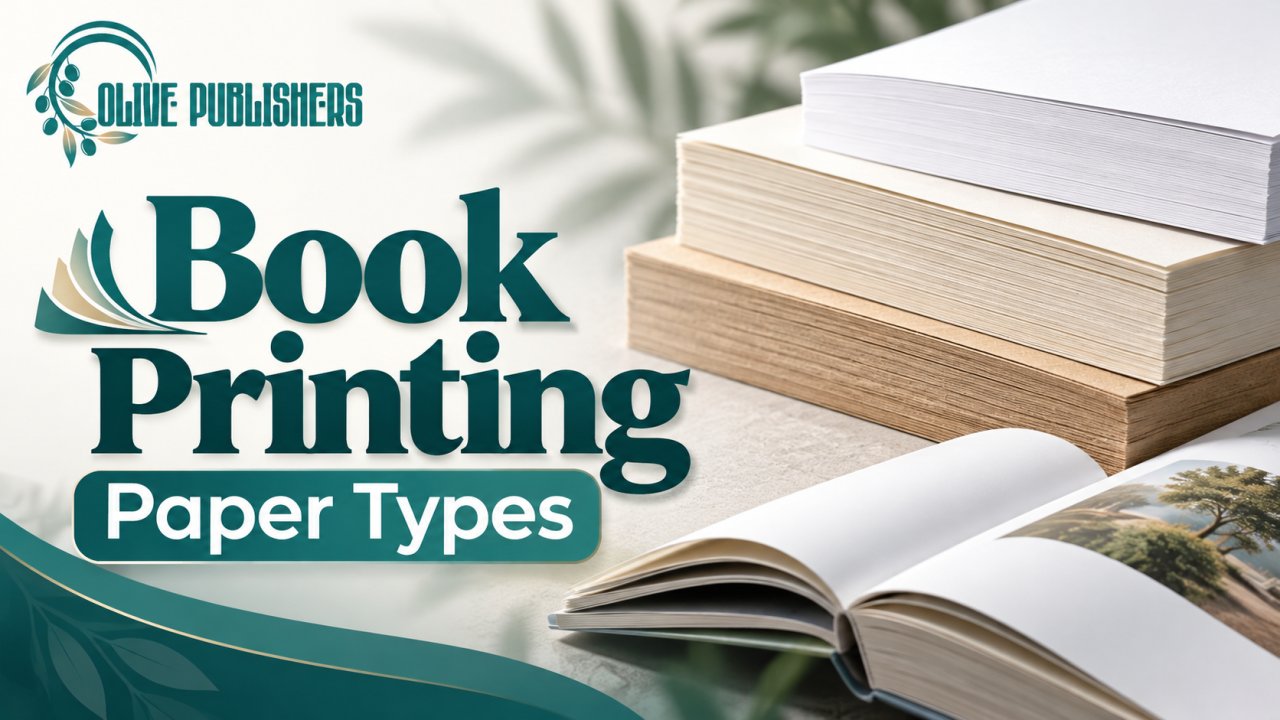
Choosing among book printing paper types affects more than how a page looks. Paper shapes readability, image quality, show-through, book weight, spine thickness, and production cost. The best stock depends on whether your book is mostly text, full of photographs, written for children, or meant for daily use.
The stakes are real. The global book publishing market is estimated at about USD 86 billion in 2025 and is projected to pass USD 121 billion by 2032, which means readers have more choice than ever. A well-chosen sheet is one of the quiet signals that your book was made with care.
This guide explains each paper option in plain language, shows how to compare samples, and helps you avoid the mistakes that force costly cover and layout changes. If you want expert help with production, you can talk to the Olive Publishers team about your project stage and the support you need.
Why Paper Choice Matters
Paper is part of the reading experience. A bright white sheet makes diagrams and color images stand out, while a cream sheet feels softer over long stretches of text. A heavier stock reduces show-through but makes the book thicker and heavier.
Readers still care about the physical object. Surveys of US adult readers report that roughly 42% prefer print over digital formats, so the feel of your pages matters. Your printer's available stocks and specifications should guide the final decision.
White Paper vs Cream Paper
White paper suits books with charts, illustrations, or a crisp modern look. It gives images and fine lines the strongest contrast.
Cream paper is the usual choice for novels, memoirs, and other text-led books. Its warmer tone feels less stark under long reading sessions.
Shade varies by printer and stock, so a screen preview is not enough. If tone matters to your design, order a physical proof.
Coated vs Uncoated Paper
Coated paper has a surface treatment that changes how ink sits on the sheet. It can improve image sharpness and color intensity, and it is available in gloss, satin, and matte finishes. It suits photo-heavy books, cookbooks, and art titles.
Uncoated paper has a natural, less glossy feel and is comfortable for reading and writing. It suits novels, journals, workbooks, and most nonfiction.
The coated paper segment keeps growing as graphic novels and photo books gain popularity, but uncoated offset paper remains the standard for text-led titles.
Paper Weight and Thickness (GSM vs LB)
Paper weight is measured in two systems: grams per square meter (GSM) used in most of the world, and pounds (lb) used in the US. Printers do not always use the same basis, so compare exact specifications instead of assuming numbers convert cleanly.
As a rough guide for text paper, multiply lb by 1.48 to estimate GSM:
| US weight (lb text) | Approx. GSM | Typical use |
|---|---|---|
| 50 lb | 74 gsm | Lightweight novels, long paperbacks |
| 60 lb | 89 gsm | Standard novels, memoirs, nonfiction |
| 70 lb | 104 gsm | Premium text, workbooks |
| 80 lb | 118 gsm | Illustrated and photo-led interiors |
| 100 lb | 148 gsm | Art books, high-end photo books |
Weight affects durability, opacity, feel, and mailing cost. Thickness also changes the page block and spine. Ask for a sample if the difference between stocks is important to your book.
Which Paper Is Best for Your Book Type?
Novels and Memoirs
Text-led books benefit from comfortable contrast, readable type, and paper that keeps the book manageable. Cream or white uncoated stock around 50 to 60 lb (74 to 89 gsm) works for most novels. Avoid choosing the heaviest paper just because it feels premium. A very thick book is harder to carry and costs more to ship. If you are working on a personal story, our guide on how to publish a memoir covers the wider process.
Cookbooks and Photography Books
Image-heavy books need paper that supports detail, color, and contrast. Coated stock helps photographs look crisp, while uncoated stock gives a softer, more subdued result. Before you commit, inspect a sample with dark areas, fine lines, and full-color images, and check both sides of each printed page. Dark shadows can lose detail in print. See our walkthrough on how to publish a cookbook for layout and printing tips.
Children's Books and Workbooks
Picture books need paper that supports the artwork and survives ordinary handling. Workbooks and activity books need a surface that accepts pen, pencil, or crayon. If you are planning an activity title, read how to publish a coloring book before you pick a stock. Do not assume a standard novel paper suits every children's format.
How Paper Affects Page Count and Spine Width
Different stocks have different thicknesses. Many print-on-demand templates calculate spine width at roughly 0.0023 inch per page for white paper and 0.0025 inch per page for cream, so a 300-page book can differ by several hundredths of an inch depending on the sheet. That difference is enough to misalign spine text.
If you change the stock after the cover is prepared, the spine width and total cover dimensions change. Finalize the paper first, then generate the cover template. Our guide to book cover design services and cost explains how spine and cover specs fit together, and our post on what to put on the back cover of a book covers the other side of the wrap.
Paper and Print Method
Digital and offset presses offer different stocks and color results. Print-on-demand services usually limit you to a menu of supported options, while commercial printers offer a wider range for larger runs. Ask which options are available for your size, binding, and sales channel before comparing paper in isolation. If you are weighing both routes, read our breakdown of book print on demand.
Understand the Trade-Off Between Opacity and Weight
Opacity describes how much printed content on one side can be seen from the other. It matters for dense text, illustrations, and dark areas printed on both sides of a sheet. Higher opacity reduces distraction but usually adds weight and thickness.
Do not judge opacity from a blank sheet. Review a printed page with typical body text and images, and check whether the reverse side distracts from reading, especially in a long book.
How to Compare Paper Samples
- Look at the paper under normal reading light.
- Read a full page of text and check the reverse side for show-through.
- Inspect images, skin tones, gradients, and fine details.
- Hold the book the way a reader would, and flip through it.
- If possible, compare two proofs made from the same file so the paper, not the design, is the main difference.
A screen preview cannot show paper texture, stiffness, or how ink behaves on a stock. For a novel, test several pages of body text. For a photo title, test dark areas and color consistency. For a workbook, test the pens and pencils readers are likely to use.
Budget and Shipping Considerations
Heavier paper raises the weight of every copy, which can affect shipping and fulfillment costs. It also increases spine thickness and can change your production quote. Calculate the full cost of the book instead of looking only at the paper line. For books sold online, balance reader comfort against delivery cost. If you are still estimating your overall budget, see our self-publishing packages overview.
Quick Paper Comparison Table
| Paper option | Strengths | Trade-offs |
|---|---|---|
| Uncoated | Natural feel, great for text and writing | Photos look less vivid |
| Coated (gloss, satin, matte) | Sharp images, rich color | Can reflect light, may feel slick |
| Cream | Easy on the eyes for long reading | Slightly lowers image brightness |
| White | High contrast, crisp images | Can feel stark in text-heavy books |
| Heavier stock | Less show-through, premium feel | More weight, thickness, and cost |
Common Paper Selection Mistakes
- Choosing paper from a monitor image instead of a physical sample.
- Forgetting to check reverse-side show-through.
- Picking a heavy stock for a long book without checking final weight.
- Changing paper after the cover is finalized.
- Assuming every printer uses the same names for paper options.
- Approving a printer's substitute stock without checking thickness, appearance, and cost.
Final Paper Selection Checklist
- Read specifications carefully. Names like "premium" mean little. Compare color, coating, weight, opacity, and thickness.
- Check ink coverage and image detail. Large dark areas, fine lines, and small captions behave differently on different stocks. Use high-resolution images, not compressed web files.
- Balance feel with portability. A heavy stock suits a photo book but can tire readers of a long novel.
- Ask for a sample or proof. Request it with your actual design and keep notes on why you chose the stock.
- Document the stock for reprints. Record the printer, product name, paper description, and color, and save the quote and proof approval. A similar label at another printer may not look or feel identical.
- Confirm the full production details. Trim size, paper, binding, page count, margins, bleed, cover template, file type, quantity, shipping, and delivery date. Save approved files with clear version names.
How Olive Publishers Can Help
Olive Publishers supports authors with book formatting, cover design, publishing, and related production services. If paper choice affects your layout or image presentation, share your format, page count, and visual needs when you discuss your project. We match the production plan to your selected printer's real stock options.
New to the process? Start with our guides on self-publishing for new authors and how to publish your own book in 2026. Planning your ISBN? Read how to get an ISBN. Writing a novel? See how to get a novel published.
Frequently Asked Questions
What is the best paper for printing a book?
For most novels and memoirs, cream uncoated paper at about 50 to 60 lb (74 to 89 gsm) is the standard. For photo books and cookbooks, coated paper at 80 lb (118 gsm) or higher usually shows images best.
Is cream or white paper better for books?
Cream is usually better for text-heavy books because it reduces glare. White is better for illustrated books, textbooks, and anything where color and contrast matter most.
What is the difference between coated and uncoated paper?
Coated paper has a surface layer that keeps ink on top, giving sharper images and richer color. Uncoated paper absorbs more ink, giving a softer, natural look that is easier to read and write on.
How does paper weight affect my book's spine width?
Thicker or heavier paper increases the thickness of every page, so the spine gets wider. Always finalize your paper before generating the cover template, or your spine text may not align.
What paper should I use for a children's book?
Choose a stock that shows artwork well and survives handling. Coated or smooth, heavier paper is common for picture books. Ask your printer which options suit your age group and binding.
Can I change the paper after my cover is designed?
You can, but the spine width and cover dimensions will change, so the cover file must be updated. It is safer to lock the paper first.
How do I avoid show-through in my book?
Choose a stock with higher opacity, and test a printed page with real body text and images on both sides. Heavier paper reduces show-through but adds weight and cost.
Should I order a printed proof before publishing?
Yes. A proof is the only reliable way to judge paper feel, color, and show-through. It is a small cost compared with reprinting a flawed run.
Conclusion
Choose book printing paper types by weighing readability, image quality, opacity, weight, thickness, and cost together. Review physical samples when you can, finalize your stock before calculating the spine, and approve a proof before publishing. The right paper supports your content instead of distracting from it.
Need help with your next publishing step? Contact Olive Publishers to discuss your book's production needs.