On this page (31)
- Step 1: Decide What the Ebook Should Achieve
- Step 2: Identify Your Audience
- Step 3: Outline the Content
- Step 4: Write the Draft
- Step 5: Edit for Clarity and Usefulness
- Step 6: Choose EPUB or PDF
- Step 7: Format for Screens
- Step 8: Create a Cover
- Step 9: Add Navigation and Accessibility
- Step 10: Export and Test the Ebook
- Step 11: Publish and Distribute
- Prepare Your Product Page
- Step 12: Promote the Ebook
- Choose Tools Based on the Content
- Make Links and References Useful
- Keep Versions and Backups
- Common Ebook Creation Mistakes
- Final Ebook Production Checklist
- How Olive Publishers Can Help
- Conclusion
- Frequently Asked Questions
- How do I make an ebook for free?
- Should I make my ebook an EPUB or a PDF?
- How long should an ebook be?
- How much does it cost to make an ebook?
- Do I need an ISBN for an ebook?
- Are ebooks required to be accessible?
- Can I make an ebook without professional help?
- Does good formatting guarantee ebook sales?
- How often should I update my ebook files?
- What should I ask a publishing service before hiring it?
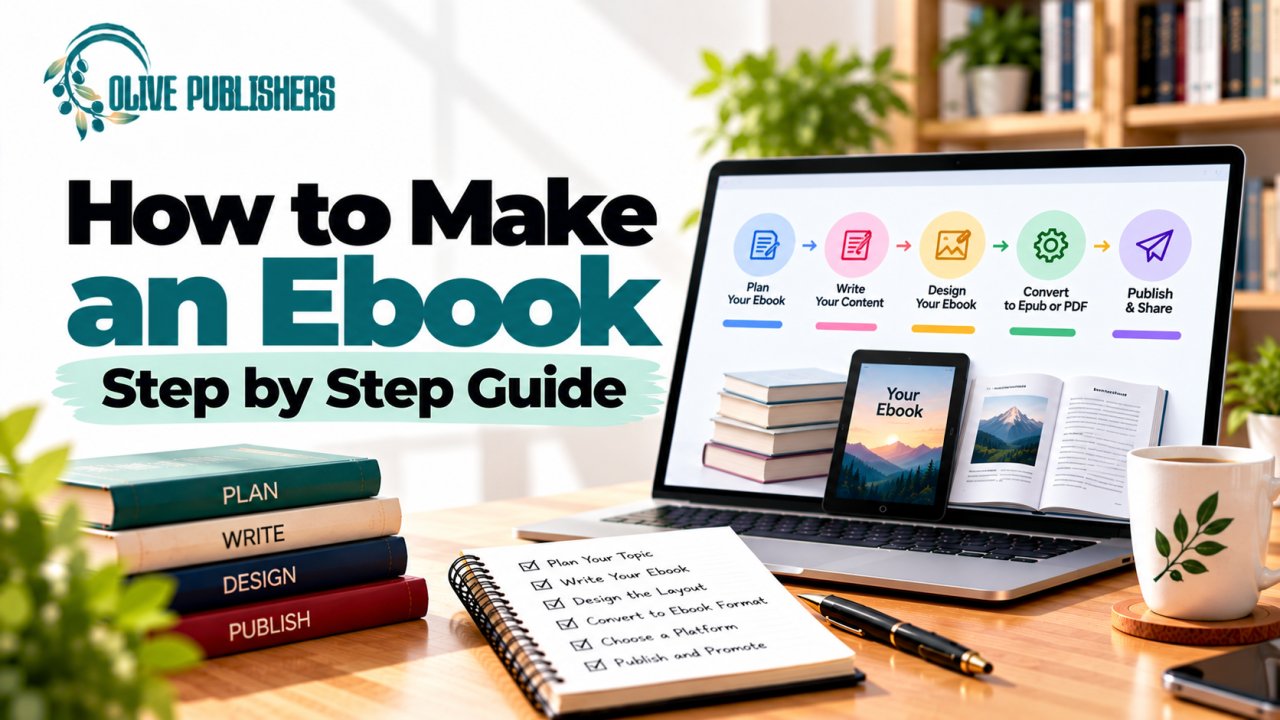
If you want to learn how to make an ebook, begin with the reader and the purpose, not the software. A useful ebook has a clear promise, organized content, readable design, and a file that works on the platforms where people will read it. The right workflow helps you create a professional digital book without unnecessary rework.
The opportunity is large. Global ebook market estimates for 2026 range from roughly USD 15.7 billion to USD 18.9 billion depending on how revenue is counted, and industry data points to more than 1 billion ebook consumers worldwide. In the US, ebook revenue reached about USD 271 million in Q1 2025, up 4.6% year over year and around 12% of total trade sales. Smartphones are now the most common reading device, at roughly 46% of the global ebook market, so your file has to work on small screens.
If you want expert help with production, talk to the Olive Publishers team about your project stage and the support you need.
Quick answer: To make an ebook, define the goal and reader, outline and write the content, edit it, choose EPUB or PDF, format for screens, design a cover, add navigation and accessibility features, export and test the file, then publish and promote it.
Step 1: Decide What the Ebook Should Achieve
An ebook may teach a skill, tell a story, explain a process, support a business, or help readers take a next step. Define the main goal in one sentence. If it is a lead magnet, make it genuinely useful and focused. If it is a paid book, make sure the scope justifies the reader's time and price. Price matters: in a 2026 survey of 3,589 engaged readers, most said they spend under $5 per book.
Step 2: Identify Your Audience
Describe your reader's knowledge, needs, and likely questions. A beginner's guide should explain terms that experts already know. A professional guide may need case examples, checklists, and clear references. This decision affects length, chapter order, vocabulary, examples, and the amount of design needed.
Step 3: Outline the Content
Turn the reader's main question into a chapter sequence. Start with context, move through the key steps or ideas, and end with a useful next action. Each chapter needs a clear job. Remove sections that repeat earlier material or distract from the main promise. A focused ebook is often more useful than a long, unfocused one. If you are writing nonfiction for a publisher or agent, our guide on how to prepare a nonfiction book proposal helps you structure your idea.
Step 4: Write the Draft
Draft one section at a time and keep the language consistent. Use accurate, relevant examples to explain difficult ideas. If you include statistics, laws, product details, or platform policies, verify them with reliable current sources, and keep a source note while writing so fact-checking is easier later. If you lack time to write, an ebook ghostwriter can draft the book from your ideas, and our ebook writing services page explains the options.
Step 5: Edit for Clarity and Usefulness
Revise structure first, then sentence flow, grammar, and spelling. Check that the ebook answers the questions readers are likely to have, and remove filler and repeated explanations. For business ebooks, verify that any claims about results are supported. For fiction, check continuity, character motivation, and pacing.
Then test it with a reader who has not seen the source document. Ask them to open the table of contents, follow links, increase the font size, and find a specific chapter. Their experience will reveal navigation and readability problems you stopped noticing after repeated editing.
Step 6: Choose EPUB or PDF
Pick the format that fits the reading task, not a general rule that one format is always better.
| Format | Best for | Main trade-off |
|---|---|---|
| EPUB (reflowable) | Novels, memoirs, guides, most text-led ebooks | Complex fixed layouts may need changes |
| PDF (fixed page) | Workbooks, printable resources, designed reports | Less flexible on small screens |
| Direct sales (your own site) | Control over the sales page and customer data | You handle promotion and support |
A short business ebook used as a downloadable resource can work well as a designed PDF if readers need worksheets or fixed layouts. A novel meant for e-readers generally benefits from a reflowable EPUB. Platform support varies, so check the destination's accepted file types before you decide.
Step 7: Format for Screens
Use clear heading styles, comfortable paragraph spacing, consistent lists, and accessible contrast. Reflowable ebooks should not depend on fixed page numbers or complex layouts. Keep tables simple or convert them to readable lists, and add descriptive alt text to meaningful images where your workflow supports it. For a full walkthrough, see our ebook formatting checklist for authors, or let us handle it with our ebook formatting service.
Step 8: Create a Cover
The ebook cover must communicate genre and topic at thumbnail size. Keep the title readable when small and make sure the artwork suits your audience. Never copy another book's cover or use images without the right license. Check the retailer's current cover dimensions and file requirements. For pricing and what to expect, read our guide to book cover design services and cost.
Step 9: Add Navigation and Accessibility
Use a linked table of contents where supported, a meaningful heading structure, and descriptive link text. Check that readers can move between chapters without scrolling through the whole file. Avoid relying on color alone to communicate meaning, and do not turn body text into images. For image-heavy ebooks, make sure essential information also appears as text. Treat accessibility as part of editing and testing, not a cosmetic final step.
Why accessibility now matters legally: Since 28 June 2025, the European Accessibility Act has applied to most ebooks sold to consumers in the EU. If you plan to sell or distribute in Europe, your EPUB should have accessible structure and accessibility metadata, and some distributors may label PDF ebooks as non-accessible. Rules and transitional arrangements vary, so confirm current requirements with your distributor.
Step 10: Export and Test the Ebook
Export the file with a reliable tool and open it on more than one screen size or reading app. Check chapter breaks, links, images, special characters, lists, and tables. A file that looks perfect in the editor may behave differently on an e-reader.
Run these checks on the exported file, not the source document:
- Open every chapter from the table of contents.
- Click every internal and external link.
- Increase the font size and switch screen orientation where available.
- Check image captions, tables, and special characters.
- Confirm the cover and metadata display correctly.
If something breaks, fix the source and export again instead of patching one output. Small changes to a font, image, or heading can affect navigation and spacing elsewhere.
Step 11: Publish and Distribute
Choose a retailer, distributor, or direct-sales method based on your audience and goals. Read the current rules for file formats, metadata, pricing, territories, and royalties. If you use more than one retailer, confirm whether any exclusivity terms apply. Amazon remains the largest channel, with an estimated 67% share of US ebook sales and about 83% when Kindle Unlimited borrows are included, so it is usually part of the plan.
If you plan a print edition or an ISBN, read how to get an ISBN. For the wider path from manuscript to listing, see how to publish your own book in 2026 and where can I publish my book for free. Want an audio edition too? Explore audiobook creation services.
Prepare Your Product Page
Your title, subtitle, description, author name, categories, and keywords must accurately describe the ebook. Write a description that tells readers who the book is for and what they will learn or experience, without promising results the book cannot deliver. Avoid stuffing the description with repeated keywords. Keep the title, subtitle, author name, and series details consistent across the file and the store listing.
After publication, open the live product page and confirm that the cover, description, author details, and sample all display correctly. Save the final file and note the upload date.
Step 12: Promote the Ebook
Write a short description that tells readers what they will gain. Use relevant keywords naturally in the title, subtitle, and metadata where allowed. Share excerpts, tips, or related content with communities that fit your subject. Track which channels bring engaged readers instead of assuming every platform performs equally. Personal recommendations, email newsletters, and your retailer page tend to matter most for discovery, so build those first. For paid help, see our guide to book marketing services.
Choose Tools Based on the Content
A plain-text ebook can be managed in a word processor or a dedicated ebook editor. A book with complex tables, equations, images, or fixed page design may need a more specialized workflow. Check that the tool exports the file type your retailer requires, and whether you can revise the source later without rebuilding the entire book. Tool features and pricing change, so verify current documentation before you choose. If you already have a finished manuscript, our ebook conversion services can turn it into retailer-ready files.
Make Links and References Useful
Use descriptive link text so readers know where a link leads, and avoid "click here." Check every link after export, and make source information easy to find if you cite research. For a lead-generation ebook, any call to action should be relevant and transparent, not an interruption. Always test links in the actual output file.
Keep Versions and Backups
Save the editable manuscript, cover image, exported ebook, metadata, and upload confirmation in one organized folder. Use version names that show the date or revision status. If a retailer flags an error, compare the rejected file with the corrected export and note the fix. Backups make updates and new editions much easier.
Common Ebook Creation Mistakes
- Using PDF for a layout that needs to adapt to screens.
- Forgetting a linked table of contents.
- Using low-resolution images.
- Skipping proofreading.
- Relying on unsupported fonts or unusual formatting.
- Ignoring accessibility and metadata.
- Writing for search engines instead of readers.
Search visibility works best when your content fulfills a real need.
Final Ebook Production Checklist
- Audience and purpose confirmed
- Content final and editorial review complete
- Rights and permissions cleared
- Format chosen (EPUB, PDF, or both)
- Design files, cover, and metadata ready
- Distribution terms and pricing confirmed
- Exported file tested on several screens
- Source files and account access stored safely
- Written scope agreed with any service provider
How Olive Publishers Can Help
Olive Publishers offers writing, editing, ebook formatting, cover design, publishing, and marketing support. If you have a draft but need help with structure, editing, or conversion, tell us the state of your manuscript and where it will be distributed. We agree on file types and deliverables before work begins. New to publishing? Start with self-publishing for new authors, or see our broader guide on how to make a book.
Conclusion
To make an ebook, define the reader, plan useful content, write and edit carefully, choose a format that fits the design, and test the exported file on real screens. Check each retailer's current requirements, build accessibility in from the start, and create a simple promotion plan. Quality comes from clarity, usability, and careful review, not from file conversion alone.
Frequently Asked Questions
How do I make an ebook for free?
You can write in a word processor, export to EPUB or PDF with a free tool, design a simple cover with a free design app, and publish through a retailer that does not charge upfront fees. The trade-off is your time and the technical checking. Verify current tool features and retailer rules before you start.
Should I make my ebook an EPUB or a PDF?
Choose EPUB for novels and text-led ebooks, because the text adapts to any screen and font size. Choose PDF for workbooks, printable resources, and designed reports where the layout must stay fixed. Many authors create both.
How long should an ebook be?
Length should match the promise and the audience. A lead magnet may be short and focused, while a paid guide or novel needs enough depth to justify the price. A focused ebook is often more useful than a long, unfocused one.
How much does it cost to make an ebook?
It depends on how much you do yourself. Writing, editing, formatting, cover design, and marketing can each be done in-house or outsourced. Ask any service for a written scope and quote that lists deliverables, revisions, and exclusions.
Do I need an ISBN for an ebook?
Some retailers assign their own identifiers, and others expect an ISBN. Requirements differ by platform and by whether you also publish a print edition, so check each retailer's current rules. See our ISBN guide for details.
Are ebooks required to be accessible?
For ebooks sold to consumers in the EU, accessibility rules under the European Accessibility Act have applied since 28 June 2025. Even outside the EU, accessible structure, contrast, and alt text help more readers and make your file more robust. Confirm current requirements with your distributor.
Can I make an ebook without professional help?
Yes. Many authors handle simple text layouts themselves. Professional help is worth considering for complex layouts, illustrations, multiple editions, or when errors would be costly to fix after release.
Does good formatting guarantee ebook sales?
No. Formatting helps readers use the book and signals care, but sales also depend on content, audience fit, price, distribution, discoverability, reviews, and marketing. Treat production quality as one part of a wider plan.
How often should I update my ebook files?
Update them when you correct meaningful errors, change content, or need to meet a platform's revised requirements. Keep versioned copies, and test the new export again because a small edit can affect navigation, images, or spacing.
What should I ask a publishing service before hiring it?
Ask for a written scope, timeline, deliverables, revision policy, file formats, payment schedule, ownership terms, and exclusions. Confirm who controls your accounts and whether you receive editable source files.
Need help coordinating your next publishing step? Contact Olive Publishers to discuss your book's production needs.